15 Nonprofit Website Features That Can Improve Engagement

A nonprofit website is more than an online brochure. It is a place where people learn about your mission, see your impact, join your campaigns, volunteer, and make donations.

For NGOs and INGOs in Nepal, a well-designed website can also help build trust with donors, partners, volunteers, beneficiaries, and the wider community. A clear website makes it easier for visitors to understand what your organization does and how they can support your work.

The right nonprofit website features can improve user engagement and make the donation process easier. They can also help your organization share its work with people in Nepal and around the world.

If you are planning a new website or redesigning an existing one, here are 15 nonprofit website features worth including.

Why Nonprofit Website Features Matter

Nonprofit Website Features That Can Improve Engagement

People visit nonprofit websites for different reasons.

A donor may want to know where their money goes. A volunteer may be looking for opportunities. A beneficiary may need information about a program. A partner may want to understand your organization’s work.

Your website should make all of these actions simple.

A strong nonprofit website should help visitors:

  • Understand your mission
  • Learn about your programs
  • See measurable impact
  • Donate securely
  • Volunteer
  • Join events
  • Read news and updates
  • Contact your team
  • Subscribe to updates
  • Share your work with others

The goal is not to add every possible feature. The goal is to include the features that support your organization’s mission.

1. Clear and Visible Donation Button

The donation button is one of the most important features on a nonprofit website.

Visitors should not have to search through several pages to find it. Place a clear Donate Now button in the website header and other important areas.

You can also add donation buttons to:

  • Homepage
  • Campaign pages
  • Program pages
  • Impact stories
  • Blog posts
  • Footer
  • Donation-related pop-ups when appropriate

Use simple language such as:

Donate Now Support Our Work Make a Difference

Avoid hiding the donation option inside a crowded menu.

Why it improves engagement

A clear call to action tells visitors what they can do next. It reduces confusion and can make the donation journey easier.

2. Simple Online Donation Form

A donation form should be quick and easy to understand.

Ask only for information that you actually need. A long form can discourage people from completing their donation.

A useful donation form may include:

  • Donation amount
  • One-time or recurring donation option
  • Donor name
  • Email address
  • Payment method
  • Optional message
  • Donation purpose

Consider offering preset amounts such as:

  • NPR 500
  • NPR 1,000
  • NPR 2,500
  • NPR 5,000
  • Custom amount

For international donors, you may also need suitable international payment options.

For Nepal-based organizations, payment options should match the audience and the organization’s banking and compliance requirements.

3. Strong Impact Stories

People want to know how their support helps.

Instead of only saying that your organization “helps communities,” show real examples of your work.

For example:

“Your support helped 150 students receive educational materials this year.”

You can use:

  • Beneficiary stories
  • Before-and-after examples
  • Project updates
  • Short interviews
  • Case studies
  • Photo stories
  • Video stories

Always protect the privacy and dignity of beneficiaries. Get appropriate permission before publishing names, photographs, or personal information.

Make impact easy to understand

Use simple numbers and facts where they are accurate.

For example:

Impact Area Example
Students supported 150
Communities reached 12
Volunteers involved 85
Training sessions 24

These figures should be updated regularly so visitors see current information.

4. Dedicated Campaign Pages

Every major campaign should have its own website page.

A campaign page gives visitors one clear place to learn about the problem, understand the solution, and take action.

A good campaign page can include:

  1. Campaign goal
  2. The problem
  3. Your solution
  4. People or communities being supported
  5. Progress so far
  6. Photos or videos
  7. Donation options
  8. Volunteer options
  9. Frequently asked questions
  10. Campaign updates

For example, an education-focused NGO could create a campaign page for school support, scholarships, or digital learning.

A dedicated page also gives you a URL that can be shared through social media, email, and other marketing channels.

5. Mobile-Friendly Website Design

Many people access websites from smartphones. Your nonprofit website should work well on smaller screens.

A mobile-friendly website should have:

  • Easy-to-read text
  • Large buttons
  • Simple navigation
  • Fast-loading pages
  • Mobile-friendly donation forms
  • Properly sized images
  • Easy-to-use menus

A donation form that works well on a desktop but is difficult to use on a phone can create unnecessary friction.

For this reason, mobile-friendly design should be part of the website strategy from the beginning.

Internal link opportunity: Organizations planning a new website can learn more through our [website design in Nepal] page.

6. Volunteer Registration Form

Not everyone can donate money. Many people want to contribute their time and skills.

A volunteer form can make it easier for visitors to get involved.

Your form can ask about:

  • Name
  • Email
  • Phone number
  • Location
  • Areas of interest
  • Skills
  • Availability
  • Previous experience

You can then use this information to match volunteers with suitable programs.

For local NGOs in Nepal, you can also provide volunteer opportunities by city, district, project, or event.

7. Events Calendar

If your organization runs workshops, training sessions, fundraising events, awareness programs, or community activities, an event calendar can be useful.

Visitors should be able to quickly see:

  • Event name
  • Date
  • Time
  • Location
  • Description
  • Registration information
  • Contact details

For online events, include the appropriate meeting or registration information.

An event calendar can turn your website from a static information page into an active communication platform.

8. Programs and Projects Section

Visitors should quickly understand what your organization actually does.

Create a dedicated section for your programs and projects.

Each program page can explain:

  • What the program does
  • Who it supports
  • Where it operates
  • Why the program is needed
  • Key activities
  • Results
  • Current status
  • How people can support it

This structure is especially useful for NGOs and INGOs with multiple projects.

Instead of putting everything on one crowded page, give important programs their own space.

9. Transparency and Financial Information

Trust matters greatly when asking people for donations.

Your website should make important organizational information easy to find.

Depending on your organization and reporting requirements, you can publish:

  • Annual reports
  • Financial reports
  • Project reports
  • Audit reports
  • Governance information
  • Policies
  • Registration information
  • Donor information
  • Program results

A dedicated Reports & Publications section can keep these documents organized.

Transparency does not mean publishing every internal document. It means providing useful information that helps supporters understand how your organization operates.

10. Testimonials and Social Proof

Supporters want to know that your organization is trusted and active.

Testimonials can provide additional context about your work.

You may feature comments from:

  • Volunteers
  • Donors
  • Community members
  • Project partners
  • Beneficiaries, where appropriate
  • Institutional partners

You can also show relevant achievements, certifications, partnerships, awards, or media coverage when these can be verified.

Use genuine testimonials. Avoid creating or exaggerating reviews.

11. News and Blog Section

A blog or news section helps your organization keep supporters informed.

You can publish content about:

  • New projects
  • Project milestones
  • Community stories
  • Events
  • Volunteer activities
  • Research
  • Annual reports
  • Campaign updates
  • Organizational news

Fresh content can also create more opportunities for people to find your organization through search engines.

For example, an NGO working in Nepal could publish articles about education, health, environment, disaster response, women’s empowerment, or other areas related to its mission.

Each article should provide useful information rather than simply promoting the organization.

12. Newsletter Signup

Not every website visitor is ready to donate.

Some visitors may want to learn more first.

A newsletter signup gives you a way to stay connected with them.

You can use newsletters to share:

  • Project updates
  • Campaign news
  • Events
  • Volunteer opportunities
  • Success stories
  • Reports
  • Donation campaigns

Keep the signup form simple.

For example:

Get updates from our organization Enter your email address.

Make sure your organization follows applicable privacy and email communication requirements.

13. Social Media Integration

Social media can help nonprofit organizations reach more people.

Add links to your active social media profiles so visitors can follow your organization.

You can also add social sharing buttons to important content such as:

  • Campaigns
  • Blog posts
  • Impact stories
  • Events
  • Reports

Be selective. Do not add social feeds simply because they are available.

A clean link to an active social profile is often better than adding a large social media widget that slows down the website.

14. Multilingual Content

Nepal has many languages and communities. Depending on your audience, multilingual content can improve accessibility.

For example, an organization working mainly with local communities may benefit from providing important information in Nepali alongside English.

You do not necessarily need to translate every page.

Start with important information such as:

  • About the organization
  • Programs
  • Donation information
  • Contact details
  • Volunteer information
  • Emergency or public service information

Choose languages based on the people your organization serves.

Good translation should be clear and natural, not a direct word-for-word conversion that becomes difficult to understand.

15. Secure, Accessible, and Easy-to-Manage Website

A nonprofit website should be secure, accessible, and easy for staff to update.

This is especially important when the website collects donor, volunteer, subscriber, or contact information.

Security features

Consider:

  • HTTPS/SSL
  • Secure forms
  • Strong administrator passwords
  • Regular software updates
  • Website backups
  • Spam protection
  • Secure payment integration
  • User access controls

Accessibility features

Your website should also be usable by people with different abilities.

Consider:

  • Clear text
  • Good contrast
  • Descriptive image alt text
  • Keyboard-friendly navigation
  • Proper heading structure
  • Captions for important videos
  • Clear form labels

Easy content management

Your team should be able to update basic website content without depending on a developer for every small change.

A suitable content management system can help staff update:

  • News
  • Events
  • Campaigns
  • Images
  • Reports
  • Program information

The Most Important Nonprofit Website Features at a Glance

Here is a quick comparison of the 15 features:

Feature Main Purpose Engagement Impact
Clear donation button Encourage donations High
Online donation form Make giving easier High
Impact stories Build emotional connection High
Campaign pages Focus visitor attention High
Mobile-friendly design Improve mobile experience High
Volunteer form Attract volunteers Medium–High
Events calendar Promote activities Medium
Program pages Explain your work High
Transparency section Build trust High
Testimonials Provide social proof Medium
Blog/news Keep supporters informed Medium–High
Newsletter signup Build long-term relationships Medium–High
Social media links Expand reach Medium
Multilingual content Improve accessibility Medium–High
Security and accessibility Protect and support users High

How to Structure a Nonprofit Website for Better Engagement

Adding features is only part of the job. The website structure also matters.

A simple nonprofit website menu could look like this:

Home | About Us | Programs | Campaigns | Impact | Get Involved | News | Donate | Contact

You can adjust this structure based on your organization’s size and goals.

Homepage structure

A nonprofit homepage can follow this order:

  1. Clear mission statement
  2. Primary call to action
  3. Short introduction
  4. Key programs
  5. Current campaign
  6. Impact numbers
  7. Success story
  8. Upcoming events
  9. Latest news
  10. Volunteer section
  11. Donation call to action
  12. Footer with important links

This gives visitors several ways to engage without making the homepage difficult to use.

Common Nonprofit Website Mistakes to Avoid

Even a website with many features can perform poorly if the basics are ignored.

Avoid these common mistakes:

1. Hiding the donation button

Visitors should not need to search for ways to donate.

2. Using complicated donation forms

Keep the process short and easy.

3. Publishing outdated information

Old project numbers, events, or campaign messages can reduce trust.

4. Using too much text

Break long content into short sections, lists, images, and clear headings.

5. Ignoring mobile users

Test important pages and forms on smartphones.

6. Forgetting website security

A nonprofit website may collect sensitive contact and donor information. Security should be planned from the start.

7. Focusing only on the organization

Talk about your mission, but also explain how visitors can help and what difference their support makes.

8. Making the website difficult to update

Your team should have a practical way to publish new information.

How to Improve Donations Through Better Website Design

Good website design cannot guarantee more donations. But it can remove barriers that make people leave before completing an action.

Focus on these areas:

Make the value clear

Explain what the donation supports.

Reduce distractions

Keep donation pages focused on the action.

Build trust

Show your programs, impact, reports, team, partners, and relevant organizational information.

Make giving easy

Use a simple donation form and suitable payment options.

Show progress

For campaigns, consider showing progress toward a clearly defined goal when the figures are accurate and regularly updated.

Keep the website fast

Large images, unnecessary animations, and poorly optimized plugins can slow down the website.

Test the user journey

Try completing the donation process yourself.

Ask:

  • Can I find the donation button?
  • Do I understand what my donation supports?
  • Is the form easy to complete?
  • Does it work on mobile?
  • Is the payment process clear?
  • Do I receive confirmation?

Small improvements can make the entire experience easier for supporters.

Why Professional Website Design Matters for NGOs and INGOs in Nepal

NGOs and INGOs often need to communicate with different groups at the same time.

Your website may serve donors from other countries, local communities, volunteers in Kathmandu, government agencies, project partners, journalists, and potential employees.

That makes website planning especially important.

A professional nonprofit website should combine:

  • Clear design
  • Simple navigation
  • Mobile responsiveness
  • SEO-friendly structure
  • Secure forms
  • Donation functionality
  • Content management
  • Accessibility
  • Fast performance
  • Strong calls to action

For organizations in Nepal, the website should also reflect the local audience while supporting international visitors when required.

Webtech Nepal provides professional website design and development services for organizations and businesses in Nepal. Its website design service covers planning, design, implementation, responsive layouts, and SEO-friendly website development.

If your NGO or INGO needs a new website or wants to improve an existing one, you can explore our [website design in Nepal] page to learn more about our web design services.

How Webtech Nepal Can Help With NGO and INGO Websites

A nonprofit website should be designed around the organization’s goals, audience, programs, and communication needs.

At Webtech Nepal, we can help organizations plan and build websites that include features such as:

  • Custom nonprofit website design
  • Mobile-responsive layouts
  • NGO/INGO program pages
  • Campaign landing pages
  • Donation functionality
  • Volunteer registration forms
  • Event management
  • News and blog sections
  • Content management systems
  • Contact and inquiry forms
  • SEO-friendly website structure
  • Website security
  • Website maintenance and support

Webtech Nepal is based in Kathmandu and provides website design and development services for organizations and businesses.

Internal linking opportunity: Add a link from this section to the Webtech Nepal homepage using anchor text such as Webtech Nepal.

If you are planning an NGO or INGO website, you can also contact Webtech Nepal for web design services and discuss your project requirements, pages, features, and budget before development begins.

Frequently Asked Questions

What features should a nonprofit website have?

A nonprofit website should ideally have a clear donation button, online donation form, program pages, impact stories, campaign pages, volunteer registration, events, news, transparency information, contact forms, and mobile-friendly design.

How can a nonprofit website increase donations?

A website can make donations easier by using a clear call to action, a simple donation form, secure payment options, strong trust signals, clear information about the organization’s impact, and an easy mobile experience.

Should an NGO website have a donation page?

Yes. If your organization accepts donations, a dedicated donation page can make it easier for supporters to understand the giving process and complete their contribution.

Should NGO websites be mobile-friendly?

Yes. A nonprofit website should work well on smartphones, tablets, and computers. Important actions such as donations, registrations, and contact forms should be easy to complete on smaller screens.

What should an NGO put on its homepage?

An NGO homepage should clearly explain its mission, highlight important programs, show current impact, feature active campaigns, provide ways to get involved, and include a visible donation call to action.

Should an NGO publish annual reports online?

Publishing relevant annual and project reports can help improve transparency and give supporters more information about the organization’s work and results.

Can Webtech Nepal develop websites for NGOs and INGOs?

Yes. Webtech Nepal provides website design and development services for organizations and can build websites based on their content, programs, audience, and required functionality.

How much does an NGO website cost in Nepal?

The cost depends on the website’s size, design requirements, number of pages, content management system, donation features, integrations, and other custom functionality. The best approach is to discuss your requirements with a web development company and request a project-specific quotation.

Conclusion

The best nonprofit website is not simply the one with the most features. It is the one that makes it easy for people to understand your mission and take action.

Features such as online donations, impact stories, campaign pages, volunteer forms, mobile-friendly design, transparency information, and clear calls to action can help your organization create stronger connections with supporters.

If you are planning a new NGO or INGO website in Nepal, start with your audience and goals. Then choose the features that make those goals easier to achieve.

For professional website design in Nepal, Webtech Nepal can help you plan and develop a nonprofit website that is clear, responsive, secure, and easy to manage.

Ready to build or redesign your NGO/INGO website? Contact Webtech Nepal to discuss your web design requirements and create a website that helps your organization connect with more people.

Why Mobile-First Website Design Matters for Businesses in Nepal

Your customers may see your website on a phone before they ever see it on a laptop.

For businesses in Nepal, this makes mobile-first website design more than a design trend. It is a practical way to build a website that works well for the people you want to reach.

People use smartphones to search for businesses, compare services, check prices, read reviews, find locations, and contact companies. A website that is hard to use on a small screen can quickly lose those visitors.

A mobile-first website starts with the mobile experience and then adapts the design for tablets, laptops, and larger screens. It focuses on simple navigation, readable text, fast loading, easy forms, and clear calls to action.

This approach can help businesses improve user experience, search visibility, and online conversions.

For businesses planning a new website or redesign, working with an experienced website design company in Nepal can help ensure the site works well across different devices and screen sizes.

What Is Mobile-First Website Design?

Mobile-first website design means designing a website for smaller screens first and then expanding the layout for larger devices.

Instead of creating a desktop website and trying to make it smaller for phones, designers begin with the mobile experience.

This means the most important content and functions are considered first:

  • Business name and branding
  • Main service or product information
  • Navigation
  • Contact details
  • Call-to-action buttons
  • Forms
  • Location information
  • Important images
  • Essential content

The design can then grow to support tablets, laptops, and desktop computers.

Mobile-First vs Responsive Website Design

These terms are related but not exactly the same.

A responsive website adjusts its layout to different screen sizes.

A mobile-first website takes that idea further by starting the design process with the smallest practical screen.

Feature Traditional Desktop-First Mobile-First
Starting point Desktop Mobile
Main focus Large screens Small screens first
Content Often more content Most important content first
Navigation Large menus Simple menus
Images Can be larger Optimized for performance
User experience Adapted for mobile Designed for mobile
Performance focus Added later Considered from the beginning
Best for Desktop-heavy audiences Modern multi-device audiences

A responsive website is important, but a mobile-first approach helps make sure the mobile experience is not treated as an afterthought.

Why Mobile-First Website Design Matters in Nepal

Nepal has a large and growing digital audience. DataReportal’s Digital 2026 report says Nepal had 16.6 million internet users at the end of 2025, with internet penetration at 56 percent. It also reported 32.4 million cellular mobile connections, equivalent to 109 percent of the country’s population. (DataReportal – Global Digital Insights)

Mobile connections are not the same as individual mobile users, but the numbers show how important mobile devices are in Nepal’s digital environment.

For businesses, this creates a simple question:

Can customers easily use your website from their phones?

If the answer is no, you may be making it harder for potential customers to contact you, understand your services, or complete an action.

1. Your Customers Are Already Using Mobile Devices

People do not always sit at a computer when they need information.

A customer might search for:

  • “restaurant near me”
  • “IT company in Kathmandu”
  • “best hotel in Pokhara”
  • “website design company in Nepal”
  • “digital marketing company Nepal”
  • “computer repair near me”

They may perform these searches while travelling, shopping, waiting for a bus, sitting at home, or working.

A mobile-first website makes it easier for these visitors to get the information they need.

What Mobile Visitors Usually Want

Most visitors do not want to study your entire website.

They often want a quick answer.

For example:

A customer visiting a hotel website may want:

  • Room prices
  • Photos
  • Location
  • Available facilities
  • Contact number
  • Booking option

A customer visiting an IT company website may want:

  • Services
  • Portfolio
  • Pricing information
  • Company details
  • Client reviews
  • Contact form

A mobile-first design puts these important actions within easy reach.

2. Mobile-First Design Improves User Experience

A good website should feel easy to use.

Visitors should not need to zoom in, rotate their phone, or swipe sideways to read your content.

A mobile-first website focuses on:

  • Easy-to-read text
  • Simple navigation
  • Proper spacing
  • Touch-friendly buttons
  • Clear headings
  • Short content sections
  • Easy-to-use forms
  • Fast-loading pages
  • Properly sized images

These small details can make a big difference.

If someone has to pinch the screen to read your phone number or struggles to tap a small menu button, they may leave the website.

3. It Can Help Your Website Perform Better in Search

Google uses the mobile version of a website’s content for indexing and ranking. This makes a strong mobile experience an important part of modern SEO.

A mobile-first approach also encourages businesses to think about performance, content structure, and usability from the start.

For example, a well-planned mobile website can have:

  • Clear page structure
  • Simple navigation
  • Proper heading hierarchy
  • Optimized images
  • Fast-loading resources
  • Easy-to-read content
  • Strong internal linking
  • Useful calls to action

These factors support both users and search engines.

Mobile-Friendly Does Not Mean “Good Enough”

Simply making a desktop website fit on a phone is not always enough.

A website can technically work on mobile while still providing a poor experience.

For example:

A desktop menu may technically fit on mobile, but a long navigation menu can still be difficult to use.

Mobile-first design asks a better question:

What does the visitor actually need on a small screen?

4. Faster Websites Can Keep Visitors Engaged

Mobile users can be sensitive to slow websites.

Large images, unnecessary scripts, heavy animations, and poorly optimized code can increase loading time.

A mobile-first design usually encourages developers to control these elements early.

Common Ways to Improve Mobile Website Speed

A business website can improve performance by:

  1. Compressing images.
  2. Using modern image formats where appropriate.
  3. Removing unnecessary plugins and scripts.
  4. Minifying CSS and JavaScript.
  5. Using browser caching.
  6. Choosing reliable web hosting.
  7. Loading only the resources a page needs.
  8. Reducing unnecessary animations.
  9. Using a content delivery network when appropriate.
  10. Testing important pages on real mobile devices.

Speed matters because visitors may not wait for a page that takes too long to load.

5. Mobile-First Design Makes Calls to Action Easier

Every business website has an action it wants visitors to take.

It could be:

  • Call the business
  • Send an inquiry
  • Request a quotation
  • Book an appointment
  • Buy a product
  • Send a WhatsApp message
  • Fill out a contact form
  • Visit a physical location

On mobile, these actions should be easy to find and use.

For example, a service company could place a Request a Quote button near the top of the page.

A restaurant could use a Call Now or Book a Table button.

An ecommerce business could make Add to Cart and Buy Now buttons easy to tap.

Good mobile-first website design connects the user’s needs with the business goal.

6. Simple Navigation Helps Visitors Find Information Faster

Large desktop menus do not always work well on phones.

Mobile-first websites often use a compact navigation system, such as a hamburger menu.

But the menu itself is only part of the solution.

The navigation should also have a clear structure.

For example:

Home → About → Services → Portfolio → Blog → Contact

A large business website may need more categories, but the principle remains the same:

Do not make mobile visitors work to find important information.

7. Mobile-First Design Builds Trust

A website is often the first impression customers have of a business.

An outdated or difficult-to-use website can make a business look less professional.

This can be especially important for:

  • Hotels
  • Restaurants
  • Banks and financial companies
  • Educational institutions
  • NGOs
  • Consulting firms
  • IT companies
  • Construction companies
  • Real estate businesses
  • Ecommerce stores
  • Professional service providers

A clean mobile experience shows that the business cares about its customers.

Trust is not created by design alone, but a poor website can quickly damage it.

8. It Supports Local Business Searches in Nepal

Mobile devices are particularly useful for local searches.

Someone looking for a business in Kathmandu may search for a service while they are already travelling around the city.

For example:

  • Web design company in Kathmandu
  • Restaurant in Thamel
  • Hotel near Kathmandu airport
  • Printing company near me
  • IT support in Kathmandu
  • Dental clinic in Lalitpur

A mobile-friendly website makes it easier for visitors to check your business information and take action.

For local businesses, your website should make important information easy to find:

  • Address
  • Phone number
  • Opening hours
  • Google Maps location
  • Services
  • Pricing where appropriate
  • Contact options

9. Mobile-First Websites Work Across Different Screen Sizes

People do not all use the same phone.

Your visitors may use:

  • Small Android phones
  • Large Android phones
  • iPhones
  • Tablets
  • Laptops
  • Desktop computers

A mobile-first website should adapt to different screen sizes.

This is where responsive design becomes important.

Responsive Design Should Cover More Than Width

A strong responsive website should consider:

  • Screen width
  • Screen height
  • Touch interaction
  • Font size
  • Image dimensions
  • Navigation
  • Button size
  • Form fields
  • Content spacing
  • Orientation

The goal is not simply to make everything smaller.

The goal is to make the website comfortable to use.

10. Mobile-First Design Can Improve Lead Generation

A website is not only an online brochure.

For many businesses, it is a source of leads.

Suppose a visitor searches Google for a service and reaches your website from a phone.

If the page is easy to read, loads quickly, explains the service clearly, and has an obvious contact button, the visitor has a clear path to becoming a lead.

But if the page has:

  • Tiny text
  • Slow loading
  • Difficult navigation
  • Broken layouts
  • Hard-to-use forms
  • Missing contact information

the visitor may leave before contacting you.

Mobile-first design removes many of these unnecessary barriers.

11. It Makes Forms Easier to Complete

Forms can be frustrating on mobile devices.

A long form with too many fields can discourage users.

Instead, ask only for information you actually need.

For example, a simple service inquiry form could ask for:

  • Name
  • Email or phone
  • Service required
  • Message

You can also use mobile-friendly input types.

For example:

  • Phone fields should open the numeric keypad.
  • Email fields should support easy email entry.
  • Dropdowns should be easy to tap.
  • Buttons should be large enough to use comfortably.

Small improvements can make forms much easier to complete.

12. Mobile-First Design Helps Ecommerce Websites

For online stores, mobile usability can directly affect sales.

Customers may discover products through:

  • Google
  • Facebook
  • Instagram
  • TikTok
  • Search ads
  • Shared links
  • Email
  • Messaging apps

Many of these interactions happen on mobile devices.

An ecommerce website should make it easy to:

  1. Find a product.
  2. View product images.
  3. Read product information.
  4. Check price and availability.
  5. Select options.
  6. Add the product to the cart.
  7. Enter delivery information.
  8. Complete payment.

A complicated mobile checkout can lead to abandoned carts.

13. Mobile-First Design Is Useful for Social Media Traffic

Social media is an important source of website traffic for many businesses in Nepal.

DataReportal reported 14.8 million social media user identities in Nepal in October 2025. (DataReportal – Global Digital Insights)

When someone clicks a link from Facebook, Instagram, LinkedIn, or another platform, they are often using a phone.

That means your social media traffic and website experience need to work together.

For example:

Facebook post → Website landing page → Service information → Contact button

If the landing page is difficult to use on mobile, your social media efforts may not perform as well as expected.

Mobile-First Website Design Best Practices

A good mobile-first website should follow a few basic rules.

1. Keep Navigation Simple

Use clear menu labels and avoid unnecessary menu items.

2. Use Readable Fonts

Text should be comfortable to read without zooming.

3. Make Buttons Easy to Tap

Important buttons need enough size and spacing for touch users.

4. Keep Content Focused

Put the most useful information first.

5. Optimize Images

Large images can slow down mobile pages.

6. Reduce Unnecessary Pop-Ups

Pop-ups can be difficult to close on small screens.

7. Make Contact Information Easy to Find

Phone numbers, email addresses, and location information should be accessible.

8. Test Real Devices

Do not rely only on a desktop browser.

Test your website on different phones and tablets.

9. Keep Forms Short

Only request information you really need.

10. Test Page Speed

Check important landing pages, service pages, and product pages.

Common Mobile Website Mistakes Businesses Should Avoid

Even responsive websites can have mobile usability problems.

Here are some common mistakes:

Mistake Why It Matters
Tiny text Users struggle to read
Small buttons Difficult to tap
Large images Can slow down pages
Too many pop-ups Interrupts the user
Long forms Reduces form completion
Complex menus Makes navigation difficult
Horizontal scrolling Creates a poor experience
Autoplay video Can consume data and distract users
Desktop-only features May not work well on phones
Hidden contact details Makes it harder to contact the business

Avoiding these problems can make your website much easier to use.

How to Build a Mobile-First Website for Your Business

If you are planning a new website, start with the mobile experience instead of treating it as a final step.

Step 1: Identify Your Main Users

Think about who visits your website.

Are they:

  • Local customers?
  • Tourists?
  • Business owners?
  • Students?
  • Professionals?
  • Existing customers?
  • People searching for your services?

Understanding your audience helps you decide what should appear first.

Step 2: Define the Main Goal

Decide what you want visitors to do.

For example:

Service business: Request a quotation

Hotel: Make a booking

Restaurant: View menu or make a reservation

School: Submit an admission inquiry

Ecommerce store: Buy a product

The design should support this goal.

Step 3: Prioritize Content

Put important information first.

Do not make visitors scroll through several sections just to find your phone number or main service.

Step 4: Create the Mobile Layout

Design the core pages for a small screen.

Focus on:

  • Navigation
  • Typography
  • Buttons
  • Images
  • Forms
  • Content spacing
  • Calls to action

Step 5: Expand for Larger Screens

Once the mobile layout works well, adapt it for tablets, laptops, and desktops.

Step 6: Test and Improve

Test the website using different devices and browsers.

Check:

  • Page loading
  • Navigation
  • Forms
  • Buttons
  • Images
  • Text
  • Contact links
  • Checkout
  • Maps
  • Browser compatibility

Mobile-First Website Design vs Mobile-Friendly Website

These terms are sometimes used interchangeably, but there is a useful difference.

A mobile-friendly website is designed to work on mobile devices.

A mobile-first website is designed with mobile users as a starting priority.

For example, a desktop-first website may contain a large banner, multiple columns, a complex menu, and several decorative elements. Developers may then adjust these features for mobile.

With a mobile-first approach, the designer first asks:

“What does the visitor need to see and do on a phone?”

The desktop version can then add more space and features without making the mobile experience complicated.

Why Businesses in Nepal Should Choose a Mobile-First Approach

For a new website, mobile-first design can be a smart long-term choice.

It helps businesses focus on the essentials:

  • Better mobile usability
  • Cleaner layouts
  • Faster pages
  • Easier navigation
  • Clearer calls to action
  • Better accessibility
  • Stronger content structure
  • Easier testing across devices

It also helps avoid a common problem: spending time and money creating a desktop design and then discovering that the mobile version needs major changes.

Starting with mobile can reduce that risk.

How a Website Design Company in Nepal Can Help

Building a professional website involves more than choosing a template and adding content.

A professional website design team can help with:

  • Website planning
  • User experience design
  • Mobile-first layouts
  • Responsive development
  • Content structure
  • SEO-friendly design
  • Website speed
  • Contact forms
  • Landing pages
  • Ecommerce features
  • Website testing
  • Maintenance

If your business is planning a new website, you can link this article to your Website Design Company in Nepal service page using the anchor text website design company in Nepal.

Internal Link Opportunity: Website Design Company in Nepal → Add your relevant Webtech Nepal service page link here.

What Should a Mobile-First Business Website Include?

A typical business website should include the following:

Website Element Mobile-First Consideration
Header Simple and easy to use
Navigation Compact and clear
Hero section Short message and clear CTA
Services Easy-to-scan sections
About Concise and useful
Portfolio Optimized images
Testimonials Easy to read
Contact Phone, email, form, and location
Footer Useful links without clutter
Images Compressed and responsive
Forms Short and touch-friendly
Buttons Large enough to tap

The exact structure depends on the business and its customers.

Key Takeaways

Here are the main reasons mobile-first website design matters for businesses in Nepal:

  • Many people access the internet through mobile devices.
  • Mobile users expect websites to be easy to use.
  • Simple mobile navigation improves usability.
  • Optimized images can help reduce page load time.
  • Clear calls to action can make it easier for visitors to contact you.
  • Mobile-friendly forms can improve inquiries.
  • Local businesses can make contact and location information easier to access.
  • Ecommerce stores can create a better shopping experience.
  • Social media visitors often arrive through mobile devices.
  • Mobile-first design supports a better experience across different screen sizes.

Frequently Asked Questions

What is mobile-first website design?

Mobile-first website design is an approach where the website is designed for mobile screens first and then adapted for larger screens such as tablets, laptops, and desktops.

Why is mobile-first website design important for businesses in Nepal?

It helps businesses provide a better experience for people who access websites using smartphones. It can also support usability, website performance, SEO, and lead generation.

Is mobile-first design the same as responsive design?

No. Responsive design makes a website adapt to different screen sizes. Mobile-first design starts the design process with mobile users and then expands the experience for larger screens.

Does mobile-first design help SEO?

A good mobile experience supports modern SEO because Google uses the mobile version of website content for indexing and ranking. Mobile usability is therefore an important part of a well-built website.

How do I know if my website is mobile-friendly?

Open your website on several phones and check whether the text is readable, buttons are easy to tap, menus work correctly, images fit the screen, and forms are easy to complete. You should also test important pages using Google’s current web performance and search tools.

How much does mobile-first website design cost in Nepal?

The cost depends on the website’s size, design requirements, features, content, ecommerce needs, integrations, and development approach. A simple business website will usually require less work than a large ecommerce or custom web application.

Should I redesign my existing website for mobile?

If your website is difficult to use on phones, loads slowly, has poor navigation, or has an outdated layout, a redesign may be worthwhile. A website audit can help identify the biggest problems before you decide.

Can an existing website be converted to mobile-first design?

Yes. Some websites can be improved through responsive design and performance changes, while older websites may benefit more from a complete redesign.

What is the difference between mobile-first and desktop-first website design?

Desktop-first design begins with the large-screen experience and adapts it for smaller screens. Mobile-first design starts with the mobile experience and then expands it for larger devices.

Conclusion

Mobile-first website design matters for businesses in Nepal because your customers are increasingly using mobile devices to find information, compare businesses, and take action online.

A good mobile website should be fast, simple, readable, easy to navigate, and focused on the actions your customers need to take.

If you are building a new website, start with the mobile experience instead of adding mobile support at the end. If you already have a website, check how it performs on real phones and identify areas that need improvement.

For businesses looking for professional website planning, design, and development, Webtech Nepal can help create a website built around your business goals and customer needs.

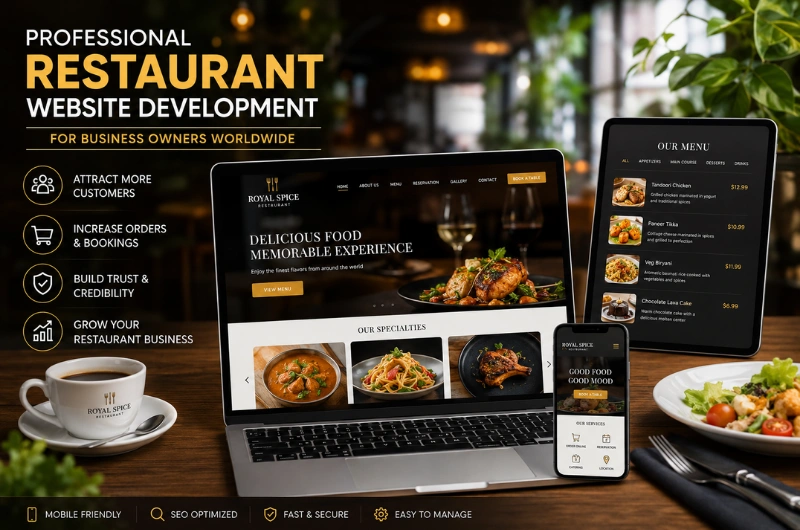
Professional Restaurant Website Development for Business Owners Worldwide

Running a restaurant is about more than serving great food. You also need to attract new customers, build trust, manage reservations, increase orders, and keep your business visible online.

For many customers, the first interaction with a restaurant happens online. They may search for your restaurant, check your menu, look at food photos, read reviews, find your location, or check whether they can book a table or order online.

This makes your website an important part of your restaurant business.

Professional restaurant website development helps business owners create a website that works as a digital storefront, marketing tool, customer service channel, and sales platform.

Whether you own a Nepali restaurant in Kathmandu, an Indian restaurant in Denver, a Thai restaurant in Sydney, or a restaurant serving any other cuisine anywhere in the world, your website should make it easy for customers to discover your business and take action.

At Webtech Nepal, we develop professional business websites with a focus on clear design, mobile usability, performance, SEO, security, and practical business goals.

What Is Restaurant Website Development?

Restaurant website development is the process of planning, designing, developing, testing, launching, and maintaining a website specifically for a restaurant or food business.

A restaurant website is different from a basic business website because customers often need access to food menus, ordering systems, reservations, locations, opening hours, and other restaurant-specific information.

Depending on the business, a restaurant website may include:

  • Online food menu
  • Food and restaurant photography
  • Online ordering
  • Table reservations
  • Delivery information
  • Pickup options
  • Restaurant locations
  • Opening hours
  • Customer reviews
  • Events
  • Catering information
  • Contact forms
  • Online payments
  • Multiple languages
  • Social media integration
  • Local SEO
  • Google Maps integration

The main goal is simple: help customers find your restaurant, understand what you offer, trust your business, and take the next step.

That next step could be ordering food, booking a table, calling your restaurant, getting directions, requesting catering information, or visiting your location.

For a restaurant business owner, a professional website should not simply look attractive. It should support real business goals.

Why Do Restaurant Business Owners Need a Professional Website?

Many restaurant owners already use social media, food delivery platforms, and online business directories.

These platforms can be useful, but they should not be your only online presence.

A website gives you a digital home that your business controls.

You decide what information customers see, how your brand is presented, what services are promoted, and which actions customers can take.

A professional restaurant website can help business owners:

  • Attract new customers
  • Increase online visibility
  • Display the complete menu
  • Generate online orders
  • Accept table reservations
  • Build customer trust
  • Promote special offers
  • Support local SEO
  • Showcase the restaurant brand
  • Generate catering leads
  • Promote events
  • Support multiple locations
  • Provide important business information 24/7

Your website can also serve customers outside your restaurant’s opening hours.

Someone can check your menu before breakfast, make a reservation late at night, or look for your location while traveling.

Four Business Goals a Restaurant Website Can Support

A restaurant website should support more than one goal. For most business owners, four goals matter most.

Business Goal How a Website Helps
Attract more customers SEO, local search, useful content, and strong design
Increase orders and bookings Online ordering and reservation features
Build trust Reviews, menu, photos, contact details, and business information
Grow the business SEO, marketing, promotions, catering, and lead generation

The exact priorities will depend on your restaurant.

A takeaway business may focus heavily on online orders. A fine-dining restaurant may focus more on reservations and brand presentation. A catering business may need more inquiry forms and event information.

The website should be built around those priorities.

Restaurant Website Development for Any Cuisine and Business Type

A professional restaurant website should represent your business rather than follow a one-size-fits-all template.

A fine-dining restaurant needs a different online experience from a fast-food takeaway business.

A small cafe has different needs from a restaurant group with locations in several countries.

Restaurant website development can support businesses such as:

  • Nepali restaurants
  • Indian restaurants
  • Chinese restaurants
  • Italian restaurants
  • Japanese restaurants
  • Korean restaurants
  • Thai restaurants
  • Mexican restaurants
  • American restaurants
  • Mediterranean restaurants
  • Vegan restaurants
  • Vegetarian restaurants
  • Cafes
  • Bakeries
  • Food trucks
  • Fast-food restaurants
  • Fine-dining restaurants
  • Takeaway businesses
  • Catering companies
  • Restaurant groups

The cuisine does not determine the technology.

Your business model, target customers, location, services, and business goals should determine the website structure and features.

Key Features of a Professional Restaurant Website

A restaurant website should make important information easy to find.

Business owners should think about what customers need before they decide to visit or order.

1. Professional Restaurant Homepage

Your homepage is often the first page customers see.

It should quickly communicate:

  • Restaurant name
  • Cuisine
  • Location
  • Main dishes
  • Brand personality
  • Ordering options
  • Reservation options
  • Opening hours

Use clear calls to action such as:

View Menu | Order Online | Book a Table | Get Directions

The homepage should not be overloaded with information.

Strong food photography, short sections, useful information, and clear buttons can help customers understand your restaurant quickly.

2. Mobile-Friendly Restaurant Website Design

A restaurant website must work well on smartphones.

Customers often search for restaurants while they are away from home. They may be walking through a city, planning dinner, traveling, or looking for a quick takeaway.

A mobile-friendly website should make it easy to:

  • Open the menu
  • Read food descriptions
  • View prices
  • Call the restaurant
  • Get directions
  • Place an order
  • Reserve a table
  • Submit an inquiry

Buttons should be easy to tap. Text should be readable. Images should fit the screen properly.

Mobile usability should be considered from the beginning of the development process.

3. Digital Restaurant Menu

The menu is one of the most important parts of a restaurant website.

Customers want to know what you serve before deciding whether to visit or order.

A useful online menu can include:

  • Food name
  • Food description
  • Price
  • Ingredients
  • Food images
  • Vegetarian labels
  • Vegan labels
  • Spice levels
  • Allergen information
  • Portion information
  • Special dishes

Avoid relying only on a PDF menu.

A web-based menu is usually easier to read on mobile devices. It also makes it easier for business owners and staff to update prices, dishes, and availability.

4. Online Food Ordering

If your restaurant provides delivery or takeaway, online ordering can create a direct path from your website to a purchase.

A typical ordering process looks like this:

  1. Customer visits your website.
  2. Customer views the menu.
  3. Customer selects food.
  4. Items are added to the cart.
  5. Customer chooses pickup or delivery.
  6. Customer provides the required information.
  7. Payment is completed where supported.
  8. Order is confirmed.

Your website can provide its own ordering system or connect customers to an existing third-party ordering platform.

The right solution depends on your restaurant’s location, delivery process, payment provider, and existing restaurant software.

5. Online Table Reservation

Restaurants that accept bookings can add an online reservation system.

Customers may select:

  • Date
  • Time
  • Number of guests
  • Name
  • Phone number
  • Email
  • Special requests

The Book a Table button should be easy to find.

Business owners should also make sure the reservation process works properly on mobile devices.

6. Restaurant Location and Google Maps

Customers should never have to search for your address.

Your website should clearly show:

  • Full address
  • City and country
  • Opening hours
  • Phone number
  • Map
  • Parking information
  • Transportation information where useful

For restaurants with multiple branches, each location should have accurate information.

Dedicated location pages can also support local search visibility.

7. Food Photography and Restaurant Gallery

Food photography plays an important role in restaurant marketing.

Use high-quality images of:

  • Signature dishes
  • Popular menu items
  • Restaurant interior
  • Exterior
  • Dining area
  • Chef
  • Staff
  • Events

Images should represent your real restaurant and food.

At the same time, large image files should be optimized so they do not slow down your website.

8. Customer Reviews and Testimonials

Trust matters when people choose where to eat.

Genuine reviews and testimonials can help potential customers understand the experience they may receive.

Business owners can highlight selected customer feedback on their website and connect visitors to relevant review platforms.

Never publish fake reviews or misleading testimonials.

9. Catering and Event Information

Restaurants often have opportunities beyond normal dining.

Your website can promote:

  • Wedding catering
  • Corporate catering
  • Birthday parties
  • Private dining
  • Business lunches
  • Group events
  • Special celebrations

If catering or events are an important part of your business, consider creating a dedicated page for these services.

This can help potential customers understand what you offer and submit inquiries directly.

10. Contact Forms

A contact form can handle questions that do not fit into ordering or reservations.

For example:

  • Catering requests
  • Private event inquiries
  • Partnership requests
  • Group bookings
  • Dietary questions
  • General inquiries

Keep forms short and ask only for information your team needs.

Restaurant Website Design That Helps Business Growth

Restaurant website design should balance appearance with usability.

A beautiful website is useful only when customers can easily find information and take action.

A good restaurant website should have:

  • Clear navigation
  • Strong food photography
  • Readable typography
  • Consistent branding
  • Clear calls to action
  • Mobile-friendly layouts
  • Fast-loading pages
  • Simple menus
  • Easy-to-find contact information

Match the Website With Your Restaurant Brand

Your website should feel like your restaurant.

For example:

A fine-dining restaurant may use an elegant layout and large food photography.

A family restaurant may use a warm and welcoming design.

A modern cafe may use a clean design with strong visual elements.

A fast-food restaurant may prioritize online ordering and delivery.

The website should create an online experience that matches what customers can expect when they visit your physical restaurant.

Restaurant SEO: Help Customers Find Your Business

A professional restaurant website needs visibility.

Restaurant SEO helps your website appear when people search for restaurants, cuisines, dishes, and dining services.

Potential searches may include:

  • Indian restaurant in London
  • Nepali restaurant in Sydney
  • Indian food near me
  • Best Nepali food in Kathmandu
  • Vegan restaurant in Toronto
  • Italian restaurant in Dubai
  • Restaurant open near me
  • Takeaway restaurant near me

The right keywords depend on your location, cuisine, menu, services, and target customers.

Local SEO for Restaurant Business Owners

If you operate a physical restaurant, local SEO can be especially valuable.

Your website should clearly communicate:

  • Restaurant name
  • Address
  • City
  • Country
  • Cuisine
  • Opening hours
  • Phone number
  • Service area

Business owners should also keep their information accurate across important local business platforms.

Do not add locations or keywords that do not represent your actual business.

Search optimization works best when it reflects the real services and locations you provide.

Optimize Individual Restaurant Pages

Your homepage should not be responsible for every search query.

Depending on your business, useful pages may include:

  • Restaurant homepage
  • Menu page
  • About page
  • Catering page
  • Locations page
  • Individual location pages
  • Private dining page
  • Events page
  • Contact page

Each page should have a clear purpose.

For a multi-location restaurant, individual location pages can provide customers with accurate information about each branch.

How Restaurant Website Development Supports Online Orders

A restaurant website can become an important sales channel when ordering is simple.

Imagine a customer searches for:

“Indian takeaway near me.”

They visit your website and immediately see:

  • Restaurant name
  • Food photos
  • Menu
  • Prices
  • Opening hours
  • Delivery information
  • Order button

The customer can move from search to purchase without unnecessary steps.

Make the Ordering Process Simple

A good ordering experience should make it easy to:

  • Browse food categories
  • Select items
  • Customize food when needed
  • Review the cart
  • Select delivery or pickup
  • Enter contact details
  • Pay where supported
  • Receive confirmation

Business owners should test the complete ordering process on smartphones before launching the website.

A complicated checkout process can cause customers to abandon their orders.

Restaurant Website Development for Table Reservations

Online reservations can make it easier for customers to book a table without calling your restaurant.

A customer may discover your restaurant through Google, social media, or another channel and visit your website to make a booking.

Make the process simple.

Place reservation buttons in visible areas such as:

  • Homepage
  • Menu page
  • Header
  • Contact page
  • Location page

If you use a third-party booking platform, make sure the booking option is still easy to access from your website.

Restaurant Website Development for Multiple Locations

Restaurant groups have different requirements from single-location businesses.

A multi-location website may need:

  • Location directory
  • Individual branch pages
  • Separate addresses
  • Separate opening hours
  • Branch-specific phone numbers
  • Location-specific menus
  • Reservation options
  • Delivery areas
  • Local SEO

For example:

Restaurant Name

→ Kathmandu → London → Sydney → Melbourne

Each location can have its own page with accurate information.

This structure helps customers find the correct branch and can create additional opportunities for location-based search visibility.

Multilingual Restaurant Websites for International Customers

Restaurant business owners serving tourists or international communities may benefit from multilingual websites.

For example, a restaurant in Nepal could provide content in English and Nepali.

A restaurant in another country may provide English and the local language.

Multilingual content can help customers understand:

  • Menu items
  • Restaurant information
  • Reservations
  • Directions
  • Special offers
  • Catering services

Translations should be reviewed by someone who understands the language and restaurant terminology.

Poor translations can create confusion and reduce customer trust.

Website Speed and Performance for Restaurants

Restaurant websites often contain many images.

Large images can make pages slow, especially for customers using mobile internet.

A professional website development process should consider:

  • Image compression
  • Proper image dimensions
  • Modern image formats
  • Efficient code
  • Browser caching
  • Good hosting
  • Reduced unnecessary scripts
  • Mobile performance

Do not add animations or features simply because they look impressive.

Every feature should have a purpose.

A fast website creates a better customer experience and supports technical SEO.

Secure Restaurant Website Development

Restaurant websites may handle customer information through contact forms, reservations, ordering systems, and payment integrations.

Security should therefore be part of the development process.

Important measures include:

  • HTTPS/SSL
  • Secure hosting
  • Strong administrator passwords
  • Regular updates
  • Reliable backups
  • Spam protection
  • Secure forms
  • Trusted payment providers

If your website accepts online payments, use reputable payment systems and follow their security requirements.

Business owners should also make sure website software and plugins are regularly updated.

Restaurant Website Accessibility

A professional website should be usable by as many people as possible.

Accessibility considerations may include:

  • Readable text
  • Good color contrast
  • Descriptive image alt text
  • Keyboard-friendly navigation
  • Clear buttons
  • Proper heading structure
  • Accessible forms
  • Meaningful link labels

Better accessibility can improve the experience for all visitors.

Restaurant Website Development Process for Business Owners

Building a successful restaurant website requires more than installing a theme and adding photos.

A professional process should consider your business goals from the beginning.

Step 1: Understand the Restaurant Business

Start by identifying:

  • Restaurant type
  • Cuisine
  • Target customers
  • Location
  • Competitors
  • Services
  • Ordering process
  • Reservation process
  • Business goals

This helps determine what your website actually needs.

Step 2: Plan the Website Structure

Create the website structure and decide which pages and features are required.

A basic restaurant website may include:

  • Home
  • About
  • Menu
  • Gallery
  • Contact

A larger project may include:

  • Online ordering
  • Reservations
  • Locations
  • Catering
  • Events
  • Blog
  • Customer accounts
  • Multiple languages

Step 3: Plan the Customer Journey

Think about what you want customers to do after arriving on your website.

For example:

Google Search → Website → Menu → Order

or:

Google Search → Website → Restaurant Information → Reservation

The website structure should make these journeys simple.

Step 4: UX and Website Design

The design should focus on customer behavior while representing your restaurant brand.

Important actions should be easy to find.

Step 5: Website Development

Develop the website and implement the required features.

This may include:

  • Responsive design
  • Content management system
  • Menu management
  • Reservation integration
  • Ordering integration
  • Payment integration
  • Contact forms
  • Maps
  • SEO setup

Step 6: Content and Image Optimization

Add accurate restaurant information and optimize images.

Check that:

  • Prices are correct
  • Opening hours are correct
  • Contact details are correct
  • Menu descriptions are clear
  • Photos represent the actual restaurant

Step 7: Testing

Test the website on:

  • Smartphones
  • Tablets
  • Laptops
  • Desktop computers
  • Different browsers

Test every important action, including ordering, reservations, forms, menus, maps, and payment flows where applicable.

Step 8: Launch

Once everything works correctly, the website can be launched.

Set up analytics, search tools, backups, security, and monitoring as needed.

Step 9: Ongoing Website Maintenance

A website should not be forgotten after launch.

Regular maintenance can include:

  • Software updates
  • Security checks
  • Backups
  • Menu updates
  • New photos
  • New promotions
  • SEO improvements
  • Performance checks

Regular updates help keep the website accurate, secure, and useful.

Restaurant Website Development: Basic vs Custom

Not every restaurant business needs the same type of website.

Website Type Best For Typical Features
Basic website Small restaurants Home, About, Menu, Contact
Business website Growing restaurants Menu, Gallery, SEO, Forms, Reservations
Ordering website Delivery restaurants Menu, Cart, Ordering, Payments
Custom website Larger businesses Custom systems and integrations
Multi-location website Restaurant groups Locations, branch pages, reservations, SEO

The right choice depends on your business goals rather than simply choosing the most expensive option.

A small restaurant may need a simple, fast website.

A restaurant chain may need a custom platform connected to its internal systems.

The goal is to choose a solution that gives your business the features it needs without unnecessary complexity.

Common Restaurant Website Mistakes Business Owners Should Avoid

1. Relying Only on Social Media

Social media is useful, but you do not control its algorithms or platform rules.

Your website gives your business a digital home that you control.

2. Hiding the Menu

The menu should be one of the easiest things to find.

Do not make customers search through social media posts to discover what you serve.

3. Using Only a PDF Menu

PDFs can be useful as an additional option, but a web-based menu is often easier to use on phones.

4. Poor Mobile Design

A website that looks good on desktop but is difficult to use on mobile can lose customers.

5. Outdated Prices and Opening Hours

Incorrect information can cause frustration and lost trust.

Business owners should review their website whenever important information changes.

6. Slow Food Images

Beautiful images are useful, but oversized files can make the website slow.

Optimize every image before uploading it.

7. No Clear Call to Action

Customers should know what to do next.

Use buttons such as:

  • Order Online
  • Book a Table
  • View Menu
  • Call Now
  • Get Directions

8. Too Many Design Effects

Animations and complicated layouts can distract customers.

Restaurant websites should prioritize food, information, and customer actions.

9. No Local SEO Strategy

A restaurant with a physical location should make its location and business information clear.

10. Never Updating the Website

An outdated website can make an active restaurant look inactive.

Keep your menu, hours, offers, photos, and business information current.

How Much Does Restaurant Website Development Cost?

The cost of restaurant website development depends on the size and complexity of the project.

A basic restaurant website may require:

  • Homepage
  • About page
  • Menu
  • Gallery
  • Contact page
  • Location information

A larger project may require:

  • Online ordering
  • Table reservations
  • Online payments
  • Multiple locations
  • Multilingual content
  • Custom booking systems
  • Delivery integration
  • Third-party software integration
  • Advanced SEO
  • Custom restaurant management features

Because every restaurant business has different requirements, a single fixed price cannot apply to every project.

The better approach is to define your business requirements first and then choose a development solution that fits your budget, customers, and growth plans.

What Can Affect the Cost?

Several factors can affect the total project cost:

  • Number of pages
  • Custom design requirements
  • Online ordering
  • Reservation systems
  • Payment integration
  • Number of locations
  • Multilingual content
  • Third-party integrations
  • Custom functionality
  • SEO requirements
  • Content creation
  • Ongoing maintenance

A business owner should focus on value and business needs, not simply choosing the cheapest website option.

How to Choose a Restaurant Website Development Company

Choosing the right development partner is an important decision for restaurant business owners.

Before starting a project, consider these questions.

Does the Company Understand Restaurant Websites?

Restaurant websites have specific requirements such as menus, reservations, ordering, locations, food photography, and local SEO.

Choose a company that understands these requirements.

Can They Build a Mobile-Friendly Website?

Ask to see examples of responsive websites.

Your restaurant website should work properly across smartphones, tablets, laptops, and desktop computers.

Can They Integrate Online Ordering?

If online ordering is important to your business, confirm that the development team can connect the required ordering and payment systems.

Do They Understand SEO?

A website should be built with search visibility in mind from the beginning.

Ask how the company handles:

  • Page structure
  • Metadata
  • URLs
  • Mobile performance
  • Website speed
  • Local SEO
  • Search engine indexing

Can They Provide Ongoing Support?

Ask about:

  • Website maintenance
  • Software updates
  • Security
  • Backups
  • Technical support
  • Future changes

Your relationship with a website development company should not necessarily end when the website goes live.

Can They Work With International Restaurant Businesses?

If your restaurant is outside Nepal, your development partner should understand the importance of:

  • Target location
  • Local customers
  • Language
  • Currency
  • Payment systems
  • Local SEO
  • International audiences

This is particularly useful for restaurant business owners serving customers in different countries.

Why Choose Webtech Nepal for Restaurant Website Development?

Webtech Nepal provides professional website design and development services for businesses in Nepal and international markets.

We understand that every restaurant business has different goals.

A small local restaurant may need a simple website with a menu and contact information.

A delivery-focused restaurant may need online ordering.

A fine-dining restaurant may need a strong visual experience and reservation system.

A restaurant group may need a multi-location website with custom integrations.

For restaurant business owners, Webtech Nepal can help with:

  • Custom restaurant website design
  • Responsive website development
  • Restaurant menu integration
  • Online ordering integration
  • Table reservation integration
  • Local SEO setup
  • Website speed optimization
  • Mobile-friendly development
  • Website security
  • Content management
  • Website maintenance
  • Custom functionality

Our approach focuses on creating websites that are useful for real customers and practical for restaurant owners and their teams to manage.

Whether you operate a Nepali restaurant in Nepal, an Indian restaurant in the UK, or another cuisine business anywhere in the world, your website should support your actual business goals.

Frequently Asked Questions

What is restaurant website development?

Restaurant website development is the process of designing and building a website specifically for a restaurant. It can include menus, food photography, online ordering, reservations, locations, contact forms, SEO, and other restaurant-focused features.

Why does a restaurant business owner need a website?

A restaurant website gives business owners a platform they control. It provides customers with important information such as the menu, prices, opening hours, location, photos, ordering options, and reservation details.

How can a restaurant website attract more customers?

A restaurant website can attract customers through search engine optimization, local SEO, useful content, strong food photography, clear restaurant information, and a mobile-friendly customer experience.

Can a restaurant website accept online orders?

Yes. A restaurant website can connect to an online ordering system that allows customers to select food, choose pickup or delivery, and complete payment when supported.

Can customers reserve a table through a restaurant website?

Yes. A website can include a custom reservation system or connect to a third-party booking platform.

Is SEO important for restaurant websites?

Yes. SEO can help your website appear when people search for restaurants, cuisines, dishes, and dining services in your target area.

Should a restaurant website have an online menu?

Yes. An online menu makes it easier for customers to see your food, prices, descriptions, and available options before visiting or ordering.

Is a mobile-friendly restaurant website necessary?

Yes. Many customers use smartphones when searching for restaurants. Your menu, contact information, ordering system, reservation form, and location should all work well on mobile devices.

Can Webtech Nepal develop websites for restaurants outside Nepal?

Yes. Restaurant website development can be provided for businesses in Nepal and international markets. The website can be adapted to the restaurant’s location, audience, language, currency, payment system, and business requirements.

Can a restaurant website support multiple locations?

Yes. A restaurant website can include individual pages for each branch, with separate addresses, opening hours, contact information, menus, and location-specific information.

Can restaurant owners update their menus themselves?

Yes. A website can be developed with a content management system that allows authorized staff to update menu items, prices, images, opening hours, and other content.

How long does restaurant website development take?

The timeline depends on the number of pages, design requirements, content, integrations, and custom features. A simple restaurant website generally requires less development time than a custom ordering or multi-location platform.

What should a restaurant website include?

At a minimum, a restaurant website should include the restaurant’s menu, location, opening hours, contact details, food information, and clear ways to order food or make a reservation when those services are available.

Can Webtech Nepal work with restaurant business owners worldwide?

Yes. Webtech Nepal can develop restaurant websites for business owners in Nepal and international markets. The website can be planned around the restaurant’s location, cuisine, target customers, services, and business goals.

Conclusion: Build a Restaurant Website That Supports Your Business

A restaurant website should do more than look good.

For business owners, it should help attract customers, showcase the menu, build trust, generate orders and reservations, promote additional services, and support long-term growth.

Professional restaurant website development brings these elements together through responsive design, clear navigation, online menus, ordering systems, reservations, local SEO, fast performance, security, and useful content.

Whether you run a Nepali, Indian, Italian, Chinese, Thai, Korean, or another type of restaurant, your website should reflect your brand and make it easy for customers to choose your business.

If your current restaurant website is outdated, slow, difficult to use, or missing important features, it may be time for an upgrade.

Contact Webtech Nepal to discuss your restaurant website development project and create a professional website designed around your restaurant, customers, and business goals.

Professional Website Development for Nonprofit Organizations

A strong online presence is important for every nonprofit organization working in Nepal. Whether your organization focuses on education, health, child welfare, environment, community development, women’s empowerment, disaster response, or another social cause, your website can help people understand your work and support your mission.

For many people, your website is the first place they look before trusting an organization. Donors may want to understand your projects. Volunteers may want to know how they can help. Partners may want to learn about your work. Beneficiaries may need information about your programs and services.

This makes professional website development for nonprofit organizations in Nepal more than a design project. Your website should communicate your mission, demonstrate credibility, share your impact, and make it easy for people to take action.

A well-developed nonprofit website can help you:

  • Build trust and credibility
  • Explain your mission and programs
  • Showcase projects and social impact
  • Attract donors and supporters
  • Recruit volunteers
  • Publish reports and updates
  • Receive inquiries and applications
  • Promote campaigns and events
  • Improve visibility in Google search
  • Connect with local and international audiences

Whether you are a small community-based organization in Nepal or an established NGO working across multiple districts, your website should be designed around your organization’s goals and the people you serve.

What Is Nonprofit Website Development?

Nonprofit website development is the process of planning, designing, developing, testing, launching, and maintaining a website for a nonprofit organization, NGO, charity, foundation, or social-impact organization.

Unlike a standard business website, a nonprofit website needs to communicate both information and impact.

Visitors may want to know:

  • What does the organization do?
  • Why does the organization exist?
  • Who benefits from its work?
  • Where does it operate?
  • What projects has it completed?
  • How can I donate?
  • How can I volunteer?
  • How can I become a partner?
  • Where can I find reports and publications?
  • How can I contact the organization?

A professional website brings these answers together in one easy-to-use platform.

The website can include pages and features such as:

  • About the organization
  • Mission and vision
  • Programs and projects
  • Impact stories
  • Annual reports
  • News and updates
  • Events
  • Donation information
  • Volunteer applications
  • Contact forms
  • Photo and video galleries
  • Publications and resources
  • Team information
  • Partner information
  • Careers
  • Multiple languages
  • Social media integration
  • Google Maps
  • Search engine optimization

The exact features should depend on the organization’s needs.

Why Do Nonprofit Organizations in Nepal Need a Professional Website?

Social media is useful for nonprofit organizations, but it should not be the only place where people learn about your organization.

A social media profile can help you share updates and reach followers. Your website, however, gives your organization a central online platform that you control.

A professional website can help a nonprofit organization present its work clearly and consistently.

Build Trust and Credibility

People are more likely to support an organization when they can easily find information about it.

Your website can provide:

  • Organization history
  • Registration and organizational information
  • Leadership details
  • Programs
  • Project locations
  • Reports
  • Publications
  • Contact details
  • Partner information
  • Success stories

Clear information helps visitors understand who you are and what your organization does.

Show the Impact of Your Work

Nonprofit organizations are often judged by the difference they make.

Instead of only saying that your organization supports communities, show what that support looks like.

For example, you could publish:

  • Number of people reached
  • Number of schools supported
  • Communities served
  • Training programs completed
  • Healthcare initiatives
  • Environmental activities
  • Project outcomes
  • Beneficiary stories

Use real information and explain it clearly.

Attract Donors and Supporters

A website can provide potential donors with the information they need before they decide to support your organization.

A dedicated donation section can explain:

  • What the organization does
  • Where donations are used
  • How people can contribute
  • Available payment methods
  • Donation campaigns
  • Contact information

For international supporters, the website can also provide relevant information about supporting projects from outside Nepal.

Recruit Volunteers

Many nonprofit organizations depend on volunteers.

A website can make recruitment easier by providing:

  • Volunteer opportunities
  • Requirements
  • Available roles
  • Application forms
  • Program information
  • Volunteer stories

This gives interested people a clear way to get involved.

What Should a Nonprofit Website in Nepal Include?

Every organization has different needs, but most nonprofit websites should provide a clear set of core pages.

Website Page Purpose
Home Introduce the organization and key actions
About Us Explain history, mission, and vision
Programs Explain major areas of work
Projects Showcase specific projects and activities
Impact Demonstrate measurable results
News & Updates Share recent activities
Reports Provide reports and publications
Get Involved Encourage volunteering and support
Donate Explain donation options
Contact Provide contact and location information

Larger organizations may also need pages for careers, partners, events, resources, regional offices, publications, and individual projects.

The goal is not to create as many pages as possible.

The goal is to create the right pages for your visitors.

Key Features of Professional NGO Website Development

A nonprofit website should make information easy to find and important actions easy to complete.

1. Clear and Professional Homepage

The homepage should quickly explain:

  • Who you are
  • What you do
  • Where you work
  • Who you help
  • What impact you create
  • How visitors can support your work

A strong homepage may include calls to action such as:

Donate | Volunteer | Explore Our Programs | Contact Us

Avoid filling the homepage with long blocks of text.

Use short sections, clear headings, meaningful images, statistics, project highlights, and calls to action.

2. Mission, Vision, and Values

Your mission explains why your organization exists.

Your vision describes the change you want to create.

Your values explain the principles that guide your work.

These should be easy to find on your website.

For an NGO, this information is not just corporate content. It helps donors, volunteers, partners, and communities understand your purpose.

3. Programs and Projects

Create clear pages for your major programs.

For example, an organization working in Nepal might have programs related to:

  • Education
  • Healthcare
  • Child protection
  • Women’s empowerment
  • Agriculture
  • Environment
  • Disaster response
  • Community development
  • Livelihood development

Each program page should explain:

  • The problem
  • What the organization does
  • Where the program operates
  • Who benefits
  • Key activities
  • Results or progress

This structure makes your work easier to understand.

4. Impact and Success Stories

Impact content can make a nonprofit website more engaging.

You can showcase:

  • Project results
  • Case studies
  • Beneficiary stories
  • Before-and-after outcomes
  • Community testimonials
  • Project photographs
  • Videos
  • Statistics

Use real stories and verified information.

Avoid exaggerating results simply to make the organization look more successful.

5. Donation Information

If your organization accepts donations, the donation process should be easy to understand.

Your website can explain:

  • Why donations are needed
  • What specific campaigns support
  • How to donate
  • Available payment options
  • How donors can contact the organization
  • How donations support projects

If online donation functionality is required, the website can integrate an appropriate payment gateway or donation platform.

The payment solution should be selected based on your organization’s location, donor base, currency requirements, and payment needs.

6. Volunteer Registration

A volunteer page can help organizations attract people who want to contribute their time and skills.

The page can include:

  • Available opportunities
  • Volunteer requirements
  • Time commitments
  • Locations
  • Responsibilities
  • Application form
  • Frequently asked questions

Keep the application process simple.

Ask only for information your organization actually needs.

7. News and Updates

Regular updates show that your organization is active.

A nonprofit blog or news section can cover:

  • New projects
  • Project milestones
  • Community events
  • Training programs
  • Campaigns
  • Volunteer activities
  • Organizational announcements
  • Partnerships
  • Achievements

Fresh content can also create additional opportunities to appear in search engines.

8. Annual Reports and Publications

Nonprofit organizations often have important documents that supporters and partners may want to review.

Your website can provide a resource section for:

  • Annual reports
  • Financial reports
  • Project reports
  • Research papers
  • Policy documents
  • Publications
  • Brochures
  • Newsletters

Organize these resources clearly so visitors can find the right document.

9. Contact and Location Information

Your contact page should make it easy for people to reach your organization.

Include relevant information such as:

  • Office address
  • Phone number
  • Email address
  • Office hours
  • Google Maps
  • Social media profiles
  • Contact form

If your organization operates in multiple locations, consider creating separate location information for each office.

10. Team and Leadership Pages

People often want to know who is behind an organization.

Depending on your organization, you can introduce:

  • Board members
  • Executive leadership
  • Program managers
  • Key staff
  • Advisors

Use accurate information and keep the page updated when leadership changes.

Mobile-Friendly Website Development for NGOs

A nonprofit website must work well on smartphones.

Visitors may access your website from:

  • Smartphones
  • Tablets
  • Laptops
  • Desktop computers

This is especially important when organizations work with communities where mobile devices are a major way of accessing the internet.

A mobile-friendly website should allow users to:

  • Read project information
  • View reports
  • Contact the organization
  • Submit forms
  • Explore programs
  • Make donations where supported
  • Register as volunteers

Buttons should be easy to tap, text should be readable, and pages should load efficiently.

Responsive design should be part of the development process from the start.

Website Design for Nonprofit Organizations in Nepal

A nonprofit website should look professional without losing its human side.

People want to see the real work behind the organization.

Use authentic images of:

  • Communities
  • Programs
  • Staff
  • Volunteers
  • Training sessions
  • Field activities
  • Events
  • Projects

Avoid using generic stock photos when real project photography is available and appropriate.

Tell Your Story Clearly

A nonprofit website should answer a simple question:

Why should someone care about this organization’s work?

Your content should explain the problem, your approach, and the results in simple language.

For example:

Instead of writing:

“We facilitate multidimensional interventions for sustainable socioeconomic transformation.”

A clearer version might be:

“We help rural families improve their income through skills training, farming support, and local business opportunities.”

Simple language makes your work easier to understand.

NGO Website Development and SEO in Nepal

A professional website needs to be discoverable.

SEO for nonprofit organizations helps your website appear when people search for your organization, programs, causes, services, and relevant topics.

Potential searches may include:

  • NGO in Nepal
  • nonprofit organizations in Nepal
  • charity organizations in Nepal
  • education NGO in Nepal
  • child welfare organization Nepal
  • environmental NGO Nepal
  • volunteer opportunities Nepal
  • donate to charity in Nepal
  • nonprofit organization Kathmandu
  • community development organization Nepal

Your actual keywords should match your organization’s work.

Do not target keywords simply because they have search volume.

Create Useful Program Pages

If your organization works in several areas, create dedicated pages for important programs.

For example:

Education Programs

Healthcare Programs

Women’s Empowerment Programs

Environmental Projects

Each page can target relevant search queries while providing useful information to visitors.

Use Nepal Locations Naturally

If your organization works in specific locations, mention them where relevant.

For example:

  • Kathmandu
  • Lalitpur
  • Bhaktapur
  • Pokhara
  • Chitwan
  • Dolakha
  • Sindhupalchok

Only mention locations where your organization actually operates.

Location-based content can help people find relevant programs and services.

Local SEO for Nonprofit Organizations in Nepal

If your NGO has a physical office or provides services in a specific area, local SEO can improve online visibility.

Make sure your website clearly provides:

  • Organization name
  • Office address
  • Phone number
  • Email address
  • Location
  • Office hours
  • Service areas

You should also maintain consistent organization information across relevant online profiles and directories.

A properly optimized location page can help people find your office and understand where your organization works.

Website Accessibility for Nonprofit Organizations

Nonprofit organizations often serve diverse communities.

Website accessibility should therefore be considered during development.

Important practices include:

  • Readable font sizes
  • Good color contrast
  • Descriptive image alt text
  • Keyboard-friendly navigation
  • Clear headings
  • Accessible forms
  • Easy-to-understand language
  • Descriptive links

Accessibility is not only about technical standards.

It is also about making information easier for people to understand and use.

Multilingual NGO Websites in Nepal

Nepal is multilingual, and nonprofit organizations may communicate with different communities.

Depending on your audience, your website may need content in:

  • English
  • Nepali
  • Other relevant languages

English may be useful for international donors, development partners, and international visitors.

Nepali or another local language may be more useful for communities and local audiences.

A multilingual website should use accurate translations.

Do not rely entirely on automatic translation for important organizational information.

Website Security for Nonprofit Organizations

Security is important for every website, including nonprofit websites.

An NGO website may collect information through:

  • Contact forms
  • Volunteer applications
  • Donation forms
  • Event registrations
  • Newsletter subscriptions

Security measures may include:

  • HTTPS/SSL
  • Secure hosting
  • Strong administrator passwords
  • Regular software updates
  • Reliable backups
  • Spam protection
  • Secure forms
  • Access controls
  • Trusted payment providers

If your website handles donations or personal information, security should be considered during the planning stage.

Website Speed and Performance

A nonprofit website should not require a fast internet connection just to load basic information.

Large images, unnecessary scripts, and poorly optimized websites can create a slow experience.

Professional development should consider:

  • Image compression
  • Proper image sizes
  • Modern image formats
  • Efficient code
  • Good hosting
  • Browser caching
  • Reduced unnecessary scripts
  • Mobile performance

A faster website improves usability and can also support search engine performance.

How Website Development Can Help NGOs Raise Awareness

A nonprofit website can become the central place where your organization tells its story.

For example, a visitor might discover your organization through Google.

They can then:

  1. Read about your mission.
  2. Explore your programs.
  3. View project results.
  4. Read a beneficiary story.
  5. Learn how to support the organization.
  6. Donate, volunteer, or contact your team.

This creates a clear journey from awareness to action.

Your website can support several types of visitors at the same time.

Visitor What They May Need
Donor Impact, transparency, donation information
Volunteer Opportunities and application details
Partner Programs, organizational information, contact details
Beneficiary Services, programs, locations, contact information
Journalist Facts, reports, media information
Researcher Publications, reports, project information
Job seeker Careers and vacancies

A well-planned website makes these journeys easier.

Website Development for NGOs: The Development Process

A professional nonprofit website should begin with planning rather than design.

Step 1: Understand the Organization

The development team should understand:

  • Mission
  • Vision
  • Programs
  • Target audiences
  • Locations
  • Projects
  • Funding model
  • Communication goals
  • Website goals

This helps determine what the website actually needs.

Step 2: Identify Website Visitors

Different visitors have different needs.

Your website structure should consider:

  • Donors
  • Volunteers
  • Beneficiaries
  • Partners
  • Staff
  • Media
  • Researchers
  • General visitors

Step 3: Plan the Website Structure

Create a clear sitemap.

A typical nonprofit website might include:

  • Home
  • About
  • Programs
  • Projects
  • Impact
  • News
  • Reports
  • Get Involved
  • Donate
  • Contact

Larger organizations may need additional pages.

Step 4: Design the User Experience

The website should make important information easy to find.

For example, someone looking for your latest annual report should not need to click through five unrelated pages.

Step 5: Design the Website

The visual design should reflect the organization’s identity.

Use:

  • Organization logo
  • Brand colors
  • Authentic photography
  • Clear typography
  • Consistent layouts

The design should feel professional but remain easy to use.

Step 6: Develop the Website

The development stage may include:

  • Responsive design
  • Content management system
  • Contact forms
  • Donation integration
  • Volunteer forms
  • Event management
  • Blog or news system
  • Document downloads
  • Maps
  • SEO setup
  • Security features

Step 7: Add and Optimize Content

Content should be clear, accurate, and easy to read.

Review:

  • Organization details
  • Project information
  • Contact information
  • Reports
  • Statistics
  • Images
  • Team information

Step 8: Test Everything

Test the website on:

  • Smartphones
  • Tablets
  • Desktop computers
  • Different browsers

Test forms, menus, links, downloads, donation systems, and other important features.

Step 9: Launch the Website

After testing, the website can be launched.

Set up appropriate:

  • Analytics
  • Search engine tools
  • Security
  • Backups
  • Performance monitoring

Step 10: Maintain the Website

A nonprofit website should be updated regularly.

Maintenance may include:

  • Software updates
  • Security checks
  • Backups
  • New project updates
  • New reports
  • Staff updates
  • Event updates
  • SEO improvements
  • Performance checks

An outdated website can make an active organization appear inactive.

Basic vs Custom Nonprofit Website Development

Not every nonprofit organization needs a large custom website.

Website Type Suitable For Common Features
Basic NGO website Small organizations Home, About, Programs, Contact
Professional nonprofit website Growing organizations Programs, Projects, News, Reports, Forms
Donation-focused website Fundraising organizations Campaigns, Donations, Payment Integration
Custom NGO website Larger organizations Custom systems and integrations
Multi-location website National organizations Offices, Projects, Location Pages

The right solution depends on your organization’s size, goals, budget, and future plans.

A small community organization may need a simple and easy-to-manage website.

A larger NGO may require a custom platform with project management, donation systems, multilingual content, or other integrations.

How Much Does Nonprofit Website Development Cost in Nepal?

The cost of website development for nonprofit organizations in Nepal depends on the website’s size, design, functionality, and integrations.

A basic website may include:

  • Home
  • About
  • Programs
  • Projects
  • Contact
  • Basic gallery

A larger nonprofit website may require:

  • Online donations
  • Payment integration
  • Volunteer registration
  • Event management
  • Multiple languages
  • Project pages
  • Report library
  • Advanced search
  • Multiple office locations
  • Custom forms
  • Third-party integrations
  • Advanced SEO

Factors That Affect Website Development Cost

The final cost can depend on:

  • Number of pages
  • Custom design
  • Content requirements
  • Number of programs
  • Number of locations
  • Donation functionality
  • Payment integration
  • Multilingual support
  • Custom features
  • Third-party integrations
  • SEO requirements
  • Content migration
  • Website maintenance

There is no single price that fits every nonprofit organization.

The best approach is to define your requirements first and then select a website solution that fits your organization’s needs and budget.

How to Choose a Website Development Company for Your NGO

Choosing a website development partner is an important decision.

Before hiring a company, consider the following.

Do They Understand Nonprofit Websites?

An NGO website has different needs from a standard company website.

The development team should understand:

  • Programs
  • Projects
  • Impact stories
  • Donations
  • Volunteers
  • Reports
  • Events
  • Community-focused content

Can They Build a Mobile-Friendly Website?

Ask to see previous responsive website projects.

Your website should work well on smartphones and other devices.

Can They Integrate Donation and Payment Systems?

If your organization accepts online donations, ask whether the development company can integrate the payment system you need.

Do They Understand SEO?

A professional website should be built with search visibility in mind.

Ask about:

  • Page structure
  • URLs
  • Metadata
  • Mobile performance
  • Website speed
  • Local SEO
  • Search engine indexing

Can Your Team Manage the Website?

Your staff should be able to update basic content when needed.

Ask whether the website includes a content management system and whether training is provided.

Do They Provide Ongoing Support?

Ask about:

  • Maintenance
  • Updates
  • Security
  • Backups
  • Technical support
  • Content changes

Long-term support can make website management easier for nonprofit organizations with limited technical resources.

Common NGO Website Mistakes to Avoid

1. Focusing Only on the Organization

Do not make every page about the organization.

Explain how your work helps people and communities.

2. Making the Mission Difficult to Understand

Use simple language.

Visitors should understand what your organization does within a few seconds.

3. Hiding Important Information

Do not hide contact details, programs, reports, or donation information.

4. Using Outdated Content

Old project information, outdated staff profiles, and expired campaigns can reduce trust.

5. Ignoring Mobile Users

Your website should work well on smartphones.

6. Using Too Many Stock Photos

Real project images can communicate your work better when they are available and appropriate to use.

7. Making Donations Difficult

If fundraising is important, make the donation process easy to understand.

8. Ignoring Website Security

Forms, accounts, and donation systems need appropriate security.

9. Forgetting SEO

A useful website still needs to be discoverable.

10. Launching Without a Maintenance Plan

A website requires updates after launch.

Plan for maintenance from the beginning.

Why Choose Webtech Nepal for Nonprofit Website Development?

Webtech Nepal provides professional website design and development services for organizations in Nepal and international markets.

For nonprofit organizations, we can help develop websites that communicate your mission, showcase your projects, provide useful resources, and make it easier for visitors to get involved.

Depending on your organization’s needs, we can help with:

  • Nonprofit website design
  • NGO website development
  • Responsive website development
  • Program and project pages
  • Donation integration
  • Volunteer registration forms
  • Contact forms
  • Event pages
  • News and blog sections
  • Report and document libraries
  • Google Maps integration
  • Local SEO
  • Website speed optimization
  • Website security
  • Content management
  • Website maintenance
  • Custom functionality

We understand that nonprofit organizations have different goals and audiences.

A small community organization may need a simple website that explains its work and provides contact information.

A larger NGO may need a website with multiple programs, project pages, reports, donation functionality, volunteer registration, and multiple locations.

The website should be built around the organization’s actual needs rather than unnecessary features.

Frequently Asked Questions

What is website development for nonprofit organizations?

Website development for nonprofit organizations is the process of creating a website that helps an NGO or nonprofit communicate its mission, programs, projects, impact, and opportunities for people to support its work.

Why does an NGO in Nepal need a professional website?

A professional website can help an NGO build credibility, explain its programs, reach donors and partners, recruit volunteers, publish reports, share project updates, and improve its online visibility.

What should an NGO website include?

An NGO website should usually include information about the organization, mission, programs, projects, impact, news, reports, contact details, and ways to get involved. Donation and volunteer features can be added when needed.

Can an NGO website accept online donations?

Yes. An NGO website can integrate an appropriate online donation or payment system. The right solution depends on the organization’s location, donor base, currencies, and payment requirements.

Can nonprofit organizations in Nepal have multilingual websites?

Yes. An NGO website can support multiple languages, such as English and Nepali, when this is useful for its audiences.

Can an NGO website include volunteer registration?

Yes. A website can include volunteer opportunity pages and online application forms to help organizations recruit and manage volunteer inquiries.

Can an NGO publish annual reports on its website?

Yes. Annual reports, research papers, project reports, newsletters, and other documents can be published in a dedicated resources or publications section.

How much does NGO website development cost in Nepal?

The cost depends on the website’s size, design, features, integrations, number of pages, and ongoing requirements. A basic NGO website will generally require less development work than a custom platform with donations, multilingual content, multiple locations, and other advanced features.

How long does it take to develop a nonprofit website?

The timeline depends on the website’s scope, content, design, features, and integrations. A simple organization website can be completed faster than a large custom NGO platform.

Can Webtech Nepal develop websites for NGOs outside Nepal?

Yes. Webtech Nepal can work with nonprofit organizations and NGOs in Nepal and international markets. Website features and content can be planned around the organization’s location, audience, programs, and goals.

Is SEO important for nonprofit websites?

Yes. SEO can help people discover an organization’s programs, resources, events, volunteer opportunities, and other useful information through search engines.

Can nonprofit organizations update their websites themselves?

Yes. A website can be built with a content management system that allows authorized staff to update pages, news, projects, reports, images, and other content.

How can an NGO website attract more donors?

An NGO website can support fundraising by clearly explaining the organization’s mission, showing measurable impact, sharing real project stories, publishing relevant reports, and making donation information easy to find.

Should an NGO website be mobile-friendly?

Yes. A mobile-friendly website makes it easier for visitors to access programs, reports, contact information, forms, and donation options from smartphones and tablets.

Conclusion: Build a Stronger Online Presence for Your Nonprofit

A nonprofit website should do more than display your organization’s name and contact information.

It should clearly explain your mission, showcase your programs, demonstrate your impact, build trust, and give visitors simple ways to support your work.

Professional website development for nonprofit organizations in Nepal can bring these elements together through responsive design, clear content, SEO, secure forms, donation functionality, volunteer registration, project pages, reports, and other features that support your organization’s goals.

Whether you are a small community-based NGO or an established nonprofit organization working across Nepal, the right website can help you communicate your work to donors, volunteers, partners, beneficiaries, and the wider public.

If your current website is outdated, difficult to manage, slow, or missing important information, it may be time to improve your organization’s online presence.

Contact Webtech Nepal to discuss your nonprofit website development project and build a professional website that helps your organization communicate its mission, reach more people, and create greater impact.

7 Clear Signs Your Website Needs a Redesign to Grow Your Business

What Is a Website Redesign?

A website redesign is the process of improving an existing website so it better meets the needs of your visitors and your business. It usually involves updating the design, improving the website’s structure, refreshing content, and adding new features that improve usability.

Many business owners think a redesign only means changing colors or adding a new logo. In reality, it goes much further than that. A successful website redesign focuses on how visitors interact with your website and how easily they can complete important actions such as requesting a quote, making a purchase, or contacting your team.

A redesign may include:

  • Modern visual design
  • Faster loading pages
  • Better mobile experience
  • Improved navigation
  • Updated content
  • Better search engine optimization (SEO)
  • Stronger security
  • Easier content management

The goal is simple: create a website that helps your business grow.

1. Your Website Looks Outdated

Your website creates the first impression of your business. Studies have shown that visitors form an opinion about a website within a few seconds. If your website looks old or unprofessional, many people may leave before reading your content.

Design trends change over time. A website that looked modern five years ago may now appear outdated compared to your competitors. Visitors often associate an old-looking website with poor customer service or an inactive business.

Outdated Design

Some common signs include:

  • Old color schemes
  • Low-quality images
  • Crowded layouts
  • Small fonts
  • Inconsistent branding
  • Flashy animations that distract users

An outdated design can also reduce customer confidence. Even if you offer excellent products or services, visitors may hesitate to contact you if your website doesn’t look trustworthy.

How to Fix It

Start by refreshing your visual identity while keeping your brand consistent.

You can improve your website by:

  • Using modern layouts with more white space
  • Replacing blurry images with high-quality photos
  • Choosing easy-to-read fonts
  • Using consistent brand colors
  • Creating professional-looking service pages
  • Adding custom icons and graphics where appropriate

A clean and modern design makes visitors feel more confident about doing business with you.

2. Your Website Is Slow

Website speed directly affects user experience. People expect websites to load quickly, and many will leave if a page takes too long.

A slow website not only frustrates visitors but can also reduce your rankings in search engines. Search engines want to recommend websites that provide a good experience, and speed is one of the factors they consider.

Several issues can slow down a website, including oversized images, poor hosting, unnecessary plugins, outdated code, and unoptimized databases.

How to Fix It

Improving speed usually involves several small improvements that work together.

Consider the following:

  • Compress large images before uploading them.
  • Use modern image formats like WebP.
  • Remove plugins or scripts you no longer use.
  • Enable browser caching.
  • Minify CSS and JavaScript files.
  • Choose reliable web hosting.
  • Use a Content Delivery Network (CDN) if your audience is spread across different locations.

Even reducing load time by one or two seconds can improve user satisfaction and increase conversions.

3. Your Website Doesn’t Work Well on Mobile

More than half of all website traffic now comes from mobile devices. If your website isn’t easy to use on a smartphone, you’re likely losing potential customers every day.

A responsive website automatically adjusts to different screen sizes. Users should be able to read text, tap buttons, and navigate your website comfortably without zooming or scrolling sideways.

Poor mobile experiences often include:

  • Tiny text
  • Buttons that are difficult to tap
  • Images that don’t fit the screen
  • Slow loading on mobile networks
  • Broken page layouts

How to Fix It

Build your website using a responsive design that works well on all screen sizes.

Test every important page on different devices before launching.

Also make sure:

  • Navigation menus are easy to use.
  • Contact buttons are visible.
  • Forms are simple to complete.
  • Images resize properly.
  • Text remains readable on smaller screens.

A mobile-friendly website creates a better experience and can improve your search rankings.

4. Visitors Leave Without Contacting You

Getting visitors to your website is only the first step. The real goal is encouraging them to take action.

If people browse your website but rarely call, email, or fill out your contact form, something may be preventing them from becoming customers.

Sometimes the problem isn’t traffic—it’s conversion.

Common reasons include:

  • Weak headlines
  • Confusing navigation
  • Too much text
  • Missing calls to action
  • Complicated forms
  • Lack of trust signals

How to Fix It

Guide visitors toward the next step instead of expecting them to figure it out themselves.

Improve your conversion rate by:

  • Writing benefit-focused headlines
  • Adding clear call-to-action buttons
  • Keeping forms short
  • Displaying customer reviews
  • Showing certifications or awards
  • Including your phone number and email on every important page

Every page should encourage visitors to take one clear action.

5. Your Content Is Outdated

Your website should accurately represent your business today—not how it looked years ago.

Outdated information can confuse customers and reduce trust. If visitors find incorrect phone numbers, old prices, discontinued services, or broken links, they may question your professionalism.

Search engines also prefer websites that are updated regularly with useful information.

Content That Should Be Reviewed

Review your website every few months and update:

  • Service pages
  • Product information
  • Pricing
  • Team members
  • Contact details
  • Blog articles
  • Case studies
  • Portfolio
  • Frequently asked questions

Fresh content keeps your website useful for both visitors and search engines.

6. Your Website Is Hard to Navigate

Visitors should never struggle to find information.

If users can’t locate your services, pricing, or contact information within a few clicks, they may leave and visit a competitor instead.

Good navigation creates a smooth journey from the homepage to the final action.

Improve Navigation By

  • Organizing pages into logical categories
  • Limiting menu items
  • Using descriptive page titles
  • Adding internal links
  • Including breadcrumbs
  • Providing a search feature for larger websites

Simple navigation reduces frustration and helps visitors stay on your website longer.

7. Your Website Isn’t Bringing You Leads

A business website should support your marketing efforts. Whether visitors come from Google, Facebook, Instagram, or online ads, your website should help convert them into customers.

If you’re spending money on digital marketing but receiving very few enquiries, your website may be the biggest obstacle.

A high-performing website answers visitors’ questions, builds trust, highlights your expertise, and makes it easy to get in touch.

Ways to Improve Lead Generation

Focus on creating pages that solve customer problems rather than simply describing your business.

Add features such as:

  • Strong calls to action
  • Live chat
  • Quote request forms
  • Downloadable resources
  • Customer testimonials
  • Success stories
  • Frequently asked questions
  • Trust badges
  • Clear pricing or service information

Measure your results using tools like Google Analytics to identify which pages generate the most enquiries and where visitors leave your website.

A well-designed website works around the clock, helping your business attract and convert new customers even outside office hours.

Quick Website Redesign Checklist

Area Check
Modern design
Mobile responsive
Fast loading
Clear navigation
Updated content
Strong calls to action
Contact forms working
SEO optimized
Secure HTTPS
Analytics installed

Benefits of Redesigning Your Website

A successful website design delivers benefits beyond appearance. It improves how visitors interact with your business and supports your long-term marketing strategy.

Some of the biggest benefits include:

  • Better user experience
  • Higher search engine rankings
  • Faster page loading
  • Improved mobile usability
  • Increased customer trust
  • More enquiries and sales
  • Lower bounce rates
  • Stronger brand identity
  • Easier website management
  • Better compatibility with modern browsers and devices

Instead of seeing a redesign as an expense, think of it as an investment in your business’s future growth.

When Should You Redesign Your Website?

There is no fixed schedule for redesigning a website, but most businesses benefit from reviewing their website every few years.

If your website no longer reflects your brand, struggles to generate leads, or performs poorly on modern devices, it’s probably time for an update.

You should seriously consider a redesign if:

  • Your website is over 3–5 years old.
  • It isn’t mobile-friendly.
  • It loads slowly.
  • You have changed your branding.
  • You have introduced new services.
  • Your competitors offer a better online experience.
  • Your website isn’t helping you achieve your business goals.

Regular updates keep your website competitive and ensure it continues to support your marketing efforts as technology and customer expectations evolve.

Frequently Asked Questions

How often should a business redesign its website?

Most businesses should review their website every few years. Small updates can be made regularly, while a full redesign is often needed every 3–5 years or when business goals change.

Will a website redesign improve SEO?

Yes. A redesign can improve page speed, mobile usability, site structure, and content quality. When planned correctly, these improvements can support better search engine rankings.

Is redesigning a website worth the investment?

For many businesses, yes. A well-designed website can improve credibility, increase enquiries, and deliver a better experience for visitors, making it a valuable long-term investment.

How long does a website redesign take?

The timeline depends on the size and complexity of the website. A simple business website may take a few weeks, while larger projects can take several months.

Conclusion

Your website should help your business grow, not hold it back.

If you’ve noticed slow performance, outdated design, poor mobile experience, or a lack of enquiries, it may be time for a website redesign. Improving these areas can create a better experience for visitors and increase your chances of turning them into customers.

At Webtech Nepal, we design modern, fast, and SEO-friendly websites that help businesses build trust and generate more leads. If you’re ready to refresh your online presence, contact our team to discuss your website redesign project.

Website Development Checklist for Businesses

Building a website is one of the most important investments a business can make. Your website is often the first place potential customers learn about your company. A well-built website builds trust, attracts visitors, and helps turn them into paying customers.

Many businesses focus only on the design. While appearance matters, a successful website also needs careful planning, fast performance, strong security, search engine optimization (SEO), and regular maintenance.

This website development checklist will help you plan, build, launch, and maintain a website that supports your business goals. Whether you are creating your first website or redesigning an existing one, these steps will help you avoid common mistakes.

A business team planning a website development with design mockups and a checklist.

Why Every Business Needs a Website Development Checklist

A checklist keeps your project organized and helps ensure that nothing important is missed.

It helps you:

  • Save time during development
  • Reduce costly mistakes
  • Improve user experience
  • Increase website security
  • Boost search engine visibility
  • Launch with confidence
  • Create a better experience for customers

Think of it as a roadmap that guides every stage of your website project.

Website Development Checklist at a Glance

Stage Main Goal
Planning Define goals and audience
Strategy Organize content and pages
Design Create an easy-to-use interface
Development Build fast and secure features
Content Publish useful and optimized content
SEO Improve search visibility
Testing Fix issues before launch
Launch Make the website live
Maintenance Keep the website updated

1. Define Your Website Goals

Start by asking why you are building the website.

Your goals may include:

  • Generate leads
  • Sell products online
  • Book appointments
  • Showcase services
  • Build brand awareness
  • Share company information
  • Provide customer support

Clear goals help shape every design and development decision.

Questions to Ask

  • Who is your target audience?
  • What action should visitors take?
  • Which pages are essential?
  • How will you measure success?

2. Understand Your Target Audience

Your website should solve problems for your visitors.

Research your audience by understanding:

  • Age group
  • Interests
  • Online behavior
  • Location
  • Devices they use
  • Questions they frequently ask

For example, many users in Nepal browse websites on smartphones, making mobile optimization essential.

3. Plan Your Website Structure

A clear website structure helps both users and search engines.

Typical business website pages include:

  • Home
  • About Us
  • Services
  • Products
  • Portfolio
  • Pricing
  • Blog
  • FAQs
  • Testimonials
  • Contact

Create a Sitemap

A sitemap helps developers, designers, and content writers understand how pages connect.

Example:

  • Home
  • About
  • Services
  • Portfolio
  • Blog
  • Contact

4. Choose the Right Domain Name

A good domain name should be:

  • Easy to remember
  • Short
  • Easy to spell
  • Relevant to your brand
  • Free from unnecessary numbers and symbols

If your audience is mainly in Nepal, a .com or .com.np domain may be a good choice.

5. Select Reliable Web Hosting

Good hosting affects website speed, uptime, and security.

Look for:

  • High uptime
  • Fast servers
  • SSL support
  • Automatic backups
  • Technical support
  • Scalability

Cheap hosting can cost more in the long run through poor performance.

6. Plan Your Content

Content is one of the biggest reasons people visit your website.

Prepare content before website development whenever possible.

Include:

  • Homepage copy
  • Service descriptions
  • Product details
  • Team information
  • FAQs
  • Blog articles
  • Contact information

Write for real people first.

Answer their questions clearly.

7. Design for User Experience (UI/UX)

Visitors should quickly understand what your business offers.

Good UI/UX includes:

  • Clean layout
  • Easy navigation
  • Readable fonts
  • Consistent colors
  • Clear headings
  • Logical page flow

Avoid clutter.

Every page should have a clear purpose.

8. Make Your Website Mobile Friendly

More than half of web traffic comes from mobile devices.

A responsive website automatically adjusts to different screen sizes.

Test your website on:

Make sure buttons, menus, and forms are easy to use.

9. Prioritize Website Speed

A slow website can drive visitors away.

Ways to improve speed include:

  • Compress images
  • Minify CSS and JavaScript
  • Enable browser caching
  • Use a Content Delivery Network (CDN)
  • Optimize database queries
  • Remove unused plugins

Speed Checklist

  • Images optimized
  • Lazy loading enabled
  • Fast hosting
  • Lightweight theme
  • Minimal scripts

10. Build with SEO in Mind

SEO should begin during development, not after launch.

Basic SEO Checklist

  • SEO-friendly URLs
  • Unique page titles
  • Meta descriptions
  • Heading hierarchy
  • Internal linking
  • Image alt text
  • XML sitemap
  • Robots.txt
  • Schema markup where appropriate

Keyword Optimization

Include keywords naturally in:

  • Titles
  • Headings
  • First paragraph
  • Image alt text
  • URLs
  • Meta descriptions

Avoid keyword stuffing.

11. Secure Your Website

Website security protects your business and customers.

Security essentials include:

  • SSL certificate
  • Strong passwords
  • Firewall
  • Malware scanning
  • Two-factor authentication
  • Regular updates
  • Daily backups

Security should never be treated as an optional feature.

12. Add Clear Calls to Action (CTAs)

Every page should guide visitors toward the next step.

Examples include:

  • Get a Quote
  • Contact Us
  • Schedule a Consultation
  • Request a Demo
  • Buy Now
  • Download Brochure

Use clear and action-focused language.

13. Create Simple Contact Options

Make it easy for visitors to reach you.

Include:

  • Contact form
  • Phone number
  • Email address
  • Office location
  • Business hours
  • Google Maps (if applicable)
  • Social media links

14. Build Trust with Social Proof

People trust businesses that show real customer experiences.

Include:

  • Reviews
  • Testimonials
  • Case studies
  • Client logos
  • Certifications
  • Awards

Authentic proof builds confidence.

15. Test Everything Before Launch

Never launch without testing.

Technical Checklist

  • All links work
  • Forms submit correctly
  • Images display properly
  • Navigation works
  • Pages load quickly
  • SSL is active
  • 404 page exists
  • Search function works
  • Mobile layout is correct
  • Browser compatibility checked

16. Set Up Website Analytics

Tracking helps you understand visitor behavior.

Useful tools include:

  • Google Analytics
  • Google Search Console
  • Heatmap tools
  • Conversion tracking

Monitor:

  • Visitors
  • Bounce rate
  • Traffic sources
  • Top-performing pages
  • Conversions

17. Prepare for Ongoing Maintenance

A website is never truly finished.

Regular maintenance includes:

  • Updating software
  • Renewing SSL certificates
  • Backing up data
  • Publishing fresh content
  • Fixing broken links
  • Monitoring performance
  • Reviewing security logs

Monthly maintenance keeps your website healthy.

Common Website Development Mistakes

Avoid these common issues:

Mistake Better Approach
No planning Create a project roadmap
Slow loading pages Optimize performance
Ignoring mobile users Use responsive design
Weak security Apply security best practices
Poor navigation Keep menus simple
No SEO Optimize from day one
Outdated content Update regularly
No analytics Measure performance

Website Launch Checklist

Before going live, confirm that:

  • Website loads quickly
  • Mobile version works
  • SSL certificate is active
  • Contact forms work
  • Analytics is installed
  • Search engines can crawl the website
  • Metadata is complete
  • Images are optimized
  • All pages are reviewed
  • Backup is created

Launching with confidence starts with careful testing.

Image Suggestions

  • After Introduction: Website planning meeting.
    • Alt Text: Business team planning a professional website.
  • After Website Structure: Sitemap illustration.
    • Alt Text: Example website sitemap for a business.
  • After SEO Section: SEO optimization dashboard.
    • Alt Text: Website SEO checklist and optimization process.
  • After Security Section: Website security concept.
    • Alt Text: SSL certificate and website security protection.
  • Near Launch Checklist: Developer testing a website.
    • Alt Text: Website quality assurance before launch.

Frequently Asked Questions

What is a website development checklist?

A website development checklist is a step-by-step guide that covers planning, design, development, testing, launch, and maintenance to help create a successful website.

Why is website planning important?

Planning helps define goals, organize content, reduce mistakes, and keep the project on schedule.

How long does it take to build a business website?

The timeline depends on the project’s size and complexity. A simple business website may take a few weeks, while larger or custom websites can take several months.

Why is mobile responsiveness important?

A responsive website provides a better experience across devices and supports search engine rankings.

How often should a website be updated?

Check for software updates and security patches regularly. Review content, links, and performance at least once a month to keep the website accurate and secure.

Conclusion

A successful website is built through careful planning, thoughtful design, reliable development, and continuous improvement. Following a structured website development checklist helps you create a site that is fast, secure, user-friendly, and ready to support your business goals.

Whether you’re launching a new website or improving an existing one, taking the time to cover each stage will save effort later and provide a better experience for your visitors.

If you’re looking for expert help with website planning, web design, development, SEO, or ongoing maintenance, Webtech Nepal can help you build a website that not only looks great but also delivers real business results.

7 Critical Steps To Building An Outstanding Website

Websites is the first point of attraction for your customers. It works like a digital identity of your company that drives more sales. Even if you are managing an offline business, having an effective website has become the prerequisite. A majority of buyers are online, and if you are not making your business visible online, then you are losing a large chunk of customers.

 “97% of customers search for local businesses online, and 95% of B2B clients research the companies online before making a decision.” – businessnewsdaily.com

Creating a website has become more imperative than ever, irrespective of the size and structure of the business. However, you need to put a lot of thought into developing and designing a productive and sales-inducing website. If you are new to all this process, we are here to help you.

7 Crucial Steps To Create An Amazing Website

While all the development and designing process can be done by hiring an expert team, there are a few things that you as a business owner must look out in your website. Here are those few important things that your website should have.

Hassle-Free Design

The first point of attraction on your website is its design. Do not complicate your design, layout, and font by adding too many elements. Give special focus to the graphics and make them easy to grasp. Most importantly, invest well in your logo or choose to custom with AI logo. You can create a vector logo design in a super easy way yet that is impactful for your online store. Animation designs are becoming quite a trend that you try. In a nutshell, make everything crystal clear for your visitors.

Mobile-Friendly Site

When you are designing and developing your website, you need to keep the mobile users in your mind too. Around 65% of buyers make their online purchase through mobile phones. You cannot risk losing a large portion of online buyers. Hence, prioritize the need for making your site mobile-friendly. Whether you are creating an eCommerce site or a service web page, you need to make sure that it is mobile responsive.

Easy To Find

A domain name is what makes your websites different from others. It is the web address that visitors use to find you. Never pick a domain name that is too hard to remember. Choose a domain name that is easy to find on the search engine. You can also try multiple domain names that will take your visitors to your website. Choosing a domain name can be a dominating task; it would be better to seek a professional’s help.

Visible Contact Details

If you need to provide your contact details on the website for your visitors to call you back, it is preferred to place all contact details on top of the home page. There are chances that viewers don’t scroll through the end of the page. This way, they will miss the contact details. Don’t lose your prospects, and simply add contact details or social media action buttons on the top.

Uncluttered Pages

Think like a customer. Would you like to re-visit a website whose web pages are messy and filled with things? Probably not, so try not to clutter your pages. Make them as simplistic as possible, and don’t overload them with too much information. You need to balance the text-to-graphics ratio on every single page in order to make it appear clean.

Quick Loading

Your viewer will not spend another second on your website if it is too slow to load. Every second counts when your viewer is going through your website. You need to prioritize the loading speed of your website. Optimize the pages, videos, images and keep your software updated for better speed. Choosing a good host also makes a difference.

Add Call To Action

Every page of your website must compel the viewers to do something; take action. Hence, it is important to add a call to action to every page. Be it calling, signing up for a newsletter, buying a product, or contacting the sales team; your visitors must be able to take prompt action after viewing the web page. Generally, people add them at the end of the page, but you can add them on the top fold as well.

The Bottom Line

Today, there is an undying need for a good online presence, without which your business cannot survive. Every brick-and-mortar companies are thinking about having a website as it adds more value and sales to their business. Hence, you cannot deny the need for an effective website.

While you are creating a website, there are a few important things that you must consider. These imperative factors ensure that your website runs successfully and get the required exposure among its customers. So, when you are creating a website for your business, irrespective of its niche, you should check the above mentioned key factors in it.

Invest your time and money in an effective website, and it will yield unexpected results.

Author Felix Jean

When not writing blog posts, Felix Jean plays the guitar and go bungee jumping with friends. His writing is focused on technology, design and online ecommerce. He’s a graphic designer too; likes to dabble with Adobe Illustrator to create designs for friends and colleagues.

Why Website Redesign Is Necessary for Nepali Businesses in 2026

Your website is like your digital storefront, open all day and night to people browsing from Kathmandu streets or Pokhara cafes. If it still looks like it did in 2020, slow, cluttered, and hard to use on phones, you’re basically giving your customers to competitors. A smart website redesign isn’t just a nice-to-have; it’s how you stay relevant in Nepal’s fast-growing online market, where e-commerce and local searches are booming.

Grabbing Attention in Seconds

Visitors decide whether to stay or leave in less than 10 seconds. An old design says “ignore me,” while a fresh one grabs their attention.

The Power of First Impressions

Take Future First Technology Nepal’s site update a few months ago, they replaced heavy graphics with clean layouts and saw engagement rise by 40%. Here’s the truth: 94% of bad first impressions come from design alone. Get rid of pixelated images and tiny fonts. Instead, use bold visuals that fit your brand, like earthy colors for a trekking company or sleek blues for a fintech startup.

Quick Wins for Visual Punch

  • Replace stock photos with real pictures of your team or products people appreciate authenticity.
  • Use plenty of white space; crowded pages feel overwhelming, like a busy street in Thamel.
  • Choose colors carefully: red stands out during festivals, while green reminds people of Nepal’s hills.

Making Users Stick Around Longer

Bad navigation is like inviting guests to a party without giving them directions. A good website redesign helps visitors find their way easily and reduces bounce rates.

Streamlining Navigation and Flows

Look at how Daraz improved, they simplified their menus during a redesign and increased time spent on the site by 25%. Think of user journeys like a smooth walk from home page to product to checkout, not a risky cliff edge. Use tools like Google Analytics heatmaps to see where visitors get stuck and fix those spots first.

Everyday UX Fixes

  1. Focus on mobile users: 70% of Nepali visitors use phones, so make sure buttons are easy to tap with thumbs.
  2. Make your site faster by compressing images so they load in under 3 seconds. Free tools like TinyPNG can help.
  3. Add search bars, they’re especially useful for online shops where customers look for specific kurtas or momos recipes.

Supercharging Conversions and Revenue

Design drives Money. A weak site converts 1-2%; redesigns can easily hit 4-5%.

From Browsers to Buyers

Remember that the local e-commerce client, German Bakery website, revamped? Cart abandonment dropped from 75% to 45% after clearer CTAs and trust badges like “Free delivery in Valley.” Place “Buy Now” buttons where eyes land, use urgency like “Limited stock,” and simplify forms—no one wants 10 fields for a signup.

CRO Tips You Can Steal

  • Try A/B testing headlines like “Get 20% Off” versus “Save on Your First Order” to see what works best.
  • Include social proof such as “Join 5,000 happy customers in Nepal.”
  • Use exit-intent popups to offer a quick discount to visitors about to leave.

Climbing Google Ranks with Smart Design

SEO is more than just keywords, it’s also about how well your site performs. Slow or non-mobile-friendly sites get pushed down in search results.

Core Web Vitals Mastery

Google’s metrics reward fast, stable sites. A Heritage Education Services website redesign saved load times, landing them top for “Study in China from Nepal.” Aim for Largest Contentful Paint under 2.5s—lazy-load images below the fold.

SEO-Friendly Redesign Checklist

  • Semantic HTML: Use H1 for mains, alt text on all images (“Handwoven Nepali pashmina scarf”).
  • Schema markup: Stars in search results for reviews.
  • Internal linking: Guide from the blog to the services naturally.

Staying Ahead of Trends and Competitors

Nepal’s digital market moves fast with AI chats, voice search, and dark mode becoming popular. Ignore these trends, and your competitors will leave you behind.

Hot Trends for 2026

Dark mode cuts eye strain for night owls; voice-optimized for Alexa users rising here. Competitors like Daraz layered in chatbots—response times plummeted, sales soared. For your biz, blend global trends with local flavor: Gurkha motifs or Dashain banners.

Competitor Spy Tips

  • Use tools like SimilarWeb to check where your competitors get their traffic.
  • Update your website every 2 to 3 years and audit it yearly for speed and user experience.
  • Add a personal touch, like “Welcome back, Lalitpur shopper!” to make visitors feel valued.

Tackling Common Roadblocks

Redesigns often face challenges like budget limits, tight timelines, and getting everyone on board. Here’s how to avoid these problems.

Budget Breakdown

Small biz: NPR 80k-1.5L for basics. Enterprise: 3L+. Start with audits (NPR 40k) to prioritize. ROI? Often pays back in 3-6 months via extra sales.

Timeline Realities

A typical redesign takes 4 to 12 weeks. If you rush it, you might regret it because rushed sites often have problems. Here’s a tip: running design and development in parallel can save time.

Webtech Nepal: Your Local Redesign Partner

We’ve redesigned over 100 websites for Nepali businesses, from online shops to law firms. Our process includes discovery chats, wireframes you can adjust, prototypes tested by real users, and a launch with quality checks. One client, a SaaS startup, saw trial sign-ups rise from 1.2% to 2.1% after their redesign. Based in Kathmandu, we understand local needs like NTC payments and Nepali fonts.

Key Takeaways

  • Design your site with people in mind first: focus on speed, mobile-friendliness, and clear layouts.
  • Measure everything: Pre/post metrics prove ROI.
  • Combine the latest trends with local culture to create a winning website that feels both modern and Nepali.
  • Partner wisely: Let Webtech Nepal handle your launch strategy.
  • Act now, staying digitally ahead is how you keep customers every day.

You must know before website redsign

How often should I redesign my website? Every 2 to 3 years, or sooner if your bounce rate exceeds 60% or conversions slow down. It’s good to audit your site every year.

What’s the ROI on a website redesign? You can expect engagement and sales to increase by 20 to 100%. Use Google Analytics goals to track your progress.

Do I need a full redesign or just some tweaks? Start with an audit. If your site scores low on speed or user experience, a full redesign is best. Otherwise, a facelift might be enough.

How much does it cost in Nepal? Prices range from NPR 50,000 to 500,000 depending on the project. It’s best to get quotes after an audit for an accurate estimate.

Can a redesign hurt my SEO? Not if it’s done properly. Using 301 redirects and updating your sitemap will keep your rankings safe.

Ready to Revamp? Your Next Steps

Grab coffee, pull your Analytics, list top pains (slow mobile? Confusing nav?). Hit up Webtech Nepal for a free consult, we’ll map out a budget-friendly plan together. Don’t wait for competitors to shine brighter. Start your website Design today.

21 Best Bulk SMS Service provider in Nepal

Do you want to know Nepal’s 21 Best Bulk SMS Service providers? Based on traffic and popularity in 2026, we’ve compiled a list of Nepal’s top 21 Bulk SMS Service providers in Nepal.

Bulk SMS services in Nepal are becoming increasingly popular as businesses and organizations seek new ways to reach their target audience. Bulk SMS, also known as text message marketing, allows companies to send many SMS messages to a group of people at once. It’s an effective way to communicate with customers, employees, and other stakeholders quickly and easily. Bulk SMS services conveniently inform people about important updates, special offers, and news. With the increasing popularity of mobile phones in Nepal, businesses can use Bulk SMS services to reach their target audiences.

One of the key advantages of bulk SMS services is their versatility. SMS Services are used for various tasks such as promotional campaigns, event invitations, order confirmations, appointment reminders, and customer feedback surveys. Additionally, businesses can segment their target audience based on demographics or behavior patterns to deliver messages more likely to resonate with recipients.

Another advantage of bulk SMS services is their high open rates compared to other marketing channels, such as email. According to research, 98 percent of all text messages are opened within three minutes of being received. This means that businesses can expect high engagement from recipients, leading to increased sales revenue and brand loyalty.

Several bulk SMS service providers in Nepal offer various features and pricing plans. This list will be an excellent place to begin your search for a reliable bulk SMS service in Nepal, but we emphasize that it is not comprehensive. Let’s take a look at some of the Top Bulk SMS Service providers in Nepal:

1. SparrowSMS

Sparrow SMS Logo

SparrowSMS is a leading bulk SMS service provider in Nepal, offering a user-friendly platform for businesses to connect with their customers efficiently. With SparrowSMS, you can send bulk SMS messages in both Nepali and English, catering to a diverse audience. Key features include SMS scheduling, message personalization, and detailed delivery reports, ensuring a seamless communication experience.

The web-based SMS application allows users to send and receive bulk messages across all major telecom providers in Nepal, including Nepal Telecom (NT) and Ncell. In addition, bulk messages can also be sent with platforms such as Viber and Whatsapp.

Flexible Pricing: SparrowSMS offers flexible pricing plans based on the number of SMS credits you purchase. For more information directly scan the QR Code.

SMS QR

2. Bulk SMS Nepal

Bulk SMS Nepal is the most trusted bulk SMS service Provider in Nepal. Their system is built to be both simple and powerful, letting users manage everything from big SMS marketing campaigns to urgent information messages with ease supporting both Ncell and NTC networks. Main features include the ability to send thousands of messages with a single click, strong delivery systems, and some of the lowest prices you can get in Nepal. It’s the best choice for businesses that need a fast, safe, and low-cost way to talk to their audience.

Bulk SMS Nepal

Bulk SMS Nepal Pricing Plans:

Plan Price (NPR) SMS Credits Cost per SMS
Starter 999 1,000 NPR 1.00
Growth 4,999 6,000 NPR 0.83
Enterprise 14,999 20,000 NPR 0.75

Bulk SMS Nepal helps businesses of all sizes connect with customers in Nepal effectively. With instant delivery and high open rates, you can share promotions, alerts, or updates and make sure your messages get noticed.

3. Aakash SMS

Aakash SMS provides SMS marketing solutions for businesses and individuals. It allows you to send text messages (SMS) to mobile phones across Nepal, regardless of whether they are subscribed to Nepal Telecom or Ncell.

Aakash SMS provides complete access to their API. Our API integration allows you to use the web interface features. Integration with your company is as simple as using our web interface and API. By integrating SMS text into your program, you may get alerts, keep tabs on reports, and use shortcodes.

Pricing: Aakash SMS offers different pricing plans based on Bulk SMS Service Package, Lead Generation / Campaign Service and API Service. The price range starts from NRS 1.4 per SMS credit.

4. Swift Technology

Swift Technology, an official and low-cost partner, provides bulk SMS Service for Nepal Telecom (NT), Ncell, and SmartCell. By incorporating SMS Service into your company’s infrastructure, you may boost your company’s prospects through an easy-to-use communication strategy.

With the Swift Technology bulk SMS service, you can keep in touch with your clientele quickly and cheaply. Services such as “New Product Launch” announcements, “Transaction” alerts via SMS, “Bulk SMS,” “Campaign” SMS, “Shortcode” SMS, “Web-Based Bulk SMS,” “SMS Gateway & API,” and “SMS” can be used to improve business prospects and create superior customer value.

Pricing: Swift Technology offers different pricing plans based on the number of SMS credits you purchase.

5. Nitya SMS

If you’re a marketer in Nepal trying to expand your consumer base quickly and affordably, Nitya SMS is your go-to source. No matter the size of your company, they have the best and most dependable solution for sending bulk SMS in Nepal. With Nitya SMS, you can contact your target audience from anywhere.

Pricing: Nitya SMS offers different pricing plans based on the number of SMS credits you purchase. The price range starts from NRS 1.10 per SMS in Express Plan.

6. Chhito Connect Bulk SMS

With the help of Chhito Connect’s ultra-reliable and highly-available infrastructure, your company can manage its SMS-based communication with many consumers quickly and easily.

Pricing: Chhito Connect offers different pricing plans based on the number of SMS credits you purchase.

7. Creation Soft Nepal

Creation Soft Nepal provides an easy-to-use messaging platform with dependable connectivity and competitive pricing for individual and bulk SMS delivery across all major national and international cell operators. We can help you with your SMS marketing needs, whether you’re looking for a gateway, API, or service to send out mass text messages.

Pricing: Creation Soft Nepal Connect offers different pricing plans based on the number of SMS credits you purchase.

8. Easy Digital Service

Easy Digital Service is a bulk SMS provider that offers a comprehensive platform for businesses to send SMS messages to their customers. With Easy Digital, you can send SMS messages in Nepali and English languages. It also offers features like SMS scheduling, personalization, and delivery reports.

Pricing: Easy Digital Service offers different pricing plans based on the number of SMS credits you purchase.

9. EASY SERVICE PVT. LTD

10. F1 SOFT INTERNATIONAL

11. Inficare Pvt. Ltd.

12. Infocom Solutions Pvt. Ltd.

13. Karuna Technology Pvt. Ltd.

14. Mercantile Office System Pvt. Ltd.

15. ONE UP COMMUNICATION PVT. LTD.

16. Pathivara Digital Network Pvt. Ltd.

17. Samaya Technology Pvt. Ltd.

18. TELENET PVT. LTD

19. Access World Tech Pvt. Ltd.

20. Himal Infotech Pvt. Ltd.

21. Bitmoro

Bitmoro is the premier provider of bulk SMS services in Nepal. Its comprehensive features include contact list management, personalized message templates, scheduling, and more. The platform is meticulously crafted to offer dependable and effective messaging solutions to businesses in diverse industries.

Best Bulk SMS service providers in Nepal (Nepal Telecom)

S.N. Service Provider Address Service Contact Number Contact Person
1 JANAKI TECHNOLOGY PVT. LTD. Kupandol, Lalitpur SMS 9802005007 Arvind Sah
2 Access World Tech Pvt. Ltd. Patandhoka, Lalitpur SMS 9851067027 Manisha Maharjan
3 CREATION SOFT NEPAL PVT. LTD. Gairidhara, KTM SMS 9843208068 Siddhant Pokharel
4 Easy Digital Service Pvt. Ltd. Buddhanagar, KTM SMS 9851146332 Narendra Bahadur Chand
5 EASY SERVICE PVT. LTD Shankhamul, KTM SMS 9851219459 Surendra chand
6 F1 SOFT INTERNATIONAL Pulchowk, Lalitpur SMS 9841452132 Santosh Basnet
7 Himal Infotech Pvt. Ltd. New Baneshwor, KTM USSD 9851099072 Mohan Kumar Parajuli
8 Inficare Pvt. Ltd. Gairidhara, KTM SMS 9841357708 Rajendra Budathoki
9 Infocom Solutions Pvt. Ltd. Hattisar, KTM SMS 9741861783 Anish Bajracharya
10 Aakash Tech Pvt. Ltd Naxal, KTM SMS 9851195578 Brijesh Gupta
11 Karuna Technology Pvt. Ltd. Maitidevi, KTM SMS 9855065526 Santosh Aryal
12 Lotus I.T. Nepal Pvt. Ltd. Kalikasthan, KTM USSD 9851001890 Krishna Prasad Pokharel
13 Mercantile Office System Pvt. Ltd. Durbar Marg, KTM SMS 9841376459 Roshan kumar Ban
14 Nitya Shree Developers Harihar Bhawan, Pulchok SMS 9849654318 Puspendra Khadka
15 ONE UP COMMUNICATION PVT. LTD. Anamnagar, KTM SMS 9851163281 Nikesh Koirala
16 Samaya Technology Pvt. Ltd. Sitapaila, KTM SMS 9851188512 Bishnu Prasad Sharma
17 Spell Innovation Pvt. Ltd. Mid-Baneshwor, KTM SMS 9848048781 Dhani Ram Sapkota
18 Swift Technology Private Limited Panipokhari, KTM SMS 9842262163 Nabaraj Poudel
19 TELENET PVT. LTD Tripureshwor, KTM SMS 9851121453 Samir Shrestha

Source: https://www.ntc.net.np/services/sms-based-vas-services

Best Bulk SMS service providers in Nepal (Ncell)

Ncell Bulk SMS Service is a convenient one-way mobile SMS termination service that allows customers to receive messages from sender IDs. Sender IDs can only be in alphanumeric or alphabetic words and cannot be numeric. Users are unable to send any responses through this service. This feature is especially useful for receiving financial transaction alerts, marketing and promotional messages, as well as a variety of personalized messages, such as appointment reminders and event notifications.

Here are the available partners of this service with Ncell:

Partner Name Contact person Contact Details Email Address
Janaki Technology Pvt. Ltd. Arvind Sah 802005015 [email protected]
Creation Soft Nepal Pvt. Ltd. Gaurav Manandhar 9801979048 [email protected]
Easy Digital Service Narendra Bahadur Chand 9851146332 [email protected]
Easy Service Pvt. Ltd. Rupesh Kumar Sah 9851074254 [email protected]
F1 Soft International Subash Sapkota 9801089839 [email protected]
Inficare Neraz Manandhar 9801155511 [email protected]
Infocom Solutions Private Limited Roshendra Khadka 9801088877 [email protected]
Aakash Tech Pvt Ltd. Brijesh Gupta 99803253121 [email protected]
Karuna technology Pvt. Ltd. Sulav Dangol 9849236808 [email protected]
Mintech Nepal Pvt. Ltd. Pujan Thapa 9801205566 [email protected]
Miracle Infocom Ramesh P Joshi 9801110951 [email protected]
Nepasoft Solutions Pvt. Ltd. Shailesh Hamal 9851027329 [email protected]
Nitya Shree Developers Pvt. Ltd. Deepak Shrestha 9851179074 [email protected]
Pathivara Digital Network Pvt. Ltd. Ram Chandra Karki 9869730119 [email protected]
Samaya Technology Pvt. Ltd. Bishnu Sharma 9818283795 [email protected]
Swift Technology Pv.t Ltd. Salina Shrestha 9802096758 [email protected]
Telenet Private Limited Samir Shrestha 9802052727 [email protected]

Source: https://www.ncell.com.np/en/individual/vas/short-number-and-bulk-sms-service

Conclusion:

In conclusion, these are the Best Bulk SMS Service provider in Nepal. Each of these providers offers different features and pricing plans. It is important to choose the one that best suits your business needs. With bulk SMS marketing, you can effectively communicate with your customers and cost-effectively promote your business.

It would be best if you weighed the following criteria when deciding on a bulk SMS provider: return on investment (ROI), customer service (CS), access to SMS APIs (application programming interfaces), scalability, price, data security, and availability (downtime). Even though this isn’t an exhaustive list, you’ll find our selection of 21 of Nepal’s best bulk SMS providers. Remember Webtech Nepal to get SMS Services in Nepal.

How Custom Web Development Boosts Your Business Success

In today’s competitive digital world, just having a website is not enough. Many businesses face challenges such as slow loading times, generic designs, poor user experience, and limited flexibility with template-based websites. These problems can lead to lost customers, lower sales, and difficulty standing out from competitors. Custom web development offers a powerful solution by creating a website uniquely tailored to your brand and business goals.

By investing in a custom-built website, businesses can improve their online presence, increase customer engagement, and drive sustainable growth. Studies show that companies using custom web solutions report 83% higher digital success rates and enjoy benefits like faster performance, better SEO, and enhanced security. This post explains how custom web development transforms business challenges into growth opportunities and lasting success.​

What Happens in Custom Web Development?

Every custom website project follows essential steps to get the best result:

  • Discovery: Understanding your business, your goals, and your customers. Developers talk with you to learn what’s important—like what you sell and what problems you solve.
  • Planning: Experts design a roadmap, showing how your website will be organized. They decide what pages and tools you’ll need—such as a store, booking form, or gallery.
  • Design: The look and feel take shape. Colors, layout, logos, and graphics are picked to match your brand perfectly. Even small details, like font choices and visuals, make a difference.
  • Development: The real coding starts. Everything is built from scratch, so the website will work exactly as you want. Features like contact forms, online payments, and user accounts are custom-built for your business.
  • Testing and Launch: Before going live, your site is checked on computers, tablets, and phones. Developers fix bugs and ensure everything loads quickly and safely.

Understanding the Impact of Custom Web Development on Your Business

Custom web development is a strategic investment that moves your business beyond one-size-fits-all website templates. It delivers a unique digital identity and creates a seamless experience tailored to your customers. This tailored approach helps companies to increase conversions, reduce bounce rates, and improve brand loyalty. With a custom website, you fully control design, features, and integrations, enabling your site to grow and adapt alongside your business. Key impacts include:

  • Higher Conversion Rates: Businesses report up to an 83% increase in conversions after switching to custom solutions.
  • Improved Site Performance: Custom sites typically load 40% faster, providing a smoother browsing experience.
  • Stronger Brand Identity: Unique visuals and user experiences align perfectly with your brand values and audience expectations.
  • Enhanced Security: Custom coding allows advanced security measures tailored to your industry requirements.
  • Long-Term Scalability: Your website can evolve with new features, content, and integrations without complete rebuilds.​

Common Business Pain Points Solved by Custom Web Solutions

Many businesses struggle with website-related issues that hinder growth and customer engagement. The most common pain points that custom web development solves include:

  • Slow Website Loading Times: Slow sites frustrate users, increase bounce rates, and cause lost sales, negatively impacting search rankings.
  • Limited Customization and Flexibility: Templates restrict features and design options, limiting your ability to differentiate your business.
  • Poor Mobile and User Experience: Inadequate mobile responsiveness and confusing layouts drive customers away.
  • Security Vulnerabilities: Widely used template platforms are often targeted by hackers, increasing the risk of data breaches.
  • Complex System Integration: Pre-built solutions may not integrate easily with your CRM, ERP, or marketing tools, leading to inefficient manual work.
  • High Maintenance Costs: Template websites require frequent updates and fixes, which are time-consuming and costly.

By addressing these challenges, custom web development creates an optimized digital platform that supports your business goals and provides a competitive advantage.​

Step-by-Step Breakdown of the Custom Web Development Process

Creating a successful custom website involves well-defined stages to ensure it meets your specific needs and performs flawlessly.

Discovery: Identifying Your Unique Business Needs
This initial phase involves deep conversations to understand your company, target audience, business objectives, and pain points. The development team gathers detailed requirements to set clear project goals, prioritizing features and design elements that will drive your success.

Strategic Planning: Mapping Out Website Goals and Features
Experts create a comprehensive roadmap outlining site architecture, user flows, functionalities, and technology stack. This plan ensures the site aligns with your market strategy and supports scalability to accommodate future growth.

Bespoke Design: Building Your Brand’s Identity Online
Based on your brand guidelines, designers develop unique visual elements—logos, colors, typography—and intuitive layouts that engage visitors. Every design decision reinforces brand personality and creates a memorable digital presence.

Custom Development: Delivering Tailored Site Functionality
Developers write efficient, clean code to implement your site software and interactive features. Unlike pre-built templates, custom coding supports advanced integrations, automated workflows, and dynamic content tailored to your specific business model.

Testing and Launch: Ensuring Speed, Security, and Usability
Before launch, thorough testing checks site performance across devices and browsers, fixes bugs, and verifies security protocols. The site is launched only after meeting high standards for speed, reliability, and user experience.​

How Custom Websites Drive Tangible Business Growth

Custom websites development directly contributes to measurable improvements in business outcomes by focusing on key drivers of success.

  • Enhancing Brand Recognition Through Personalized Website Design: Custom visuals and features help customers recognize and trust your brand, making you more memorable than cookie-cutter sites.
  • Improving User Experience and Retention: Optimized navigation, fast loads, and mobile-friendly designs keep visitors on your site longer and encourage repeat visits.
  • Boosting Conversion Rates with Optimized Site Performance: Custom-built checkout systems and strategically placed call-to-actions increase purchase completions and lead generation.
  • Growing with Scalable Features for Future Needs: Your site adapts easily to new products, services, and technologies, protecting your digital investment and enabling smooth business expansion.​

Your Custom Web Development Questions, Explained

How long does custom web development take?
Depending on your site’s complexity, it usually takes several weeks to a few months. The time is spent planning, designing, building, and testing everything so it’s just right.

Is custom web development worth the investment?
Yes, custom sites last longer, save money over time, and perform better than templates. You get unique branding, better features, and better customer engagement.

Can a custom website help a small business?
Definitely, small businesses benefit by appearing more professional, being easy to find online, and giving customers a better experience—even with a limited budget.

What about website security?
Custom websites use up-to-date security software and strategies based on your business needs. This protects your site and customer information from hacking and data leaks.

Custom web development gives your business the tools to succeed online. Every detail is designed around your needs, helping you attract more customers, make more sales, and build a brand that lasts.